How to Choose Group Size and Rotation Scheme
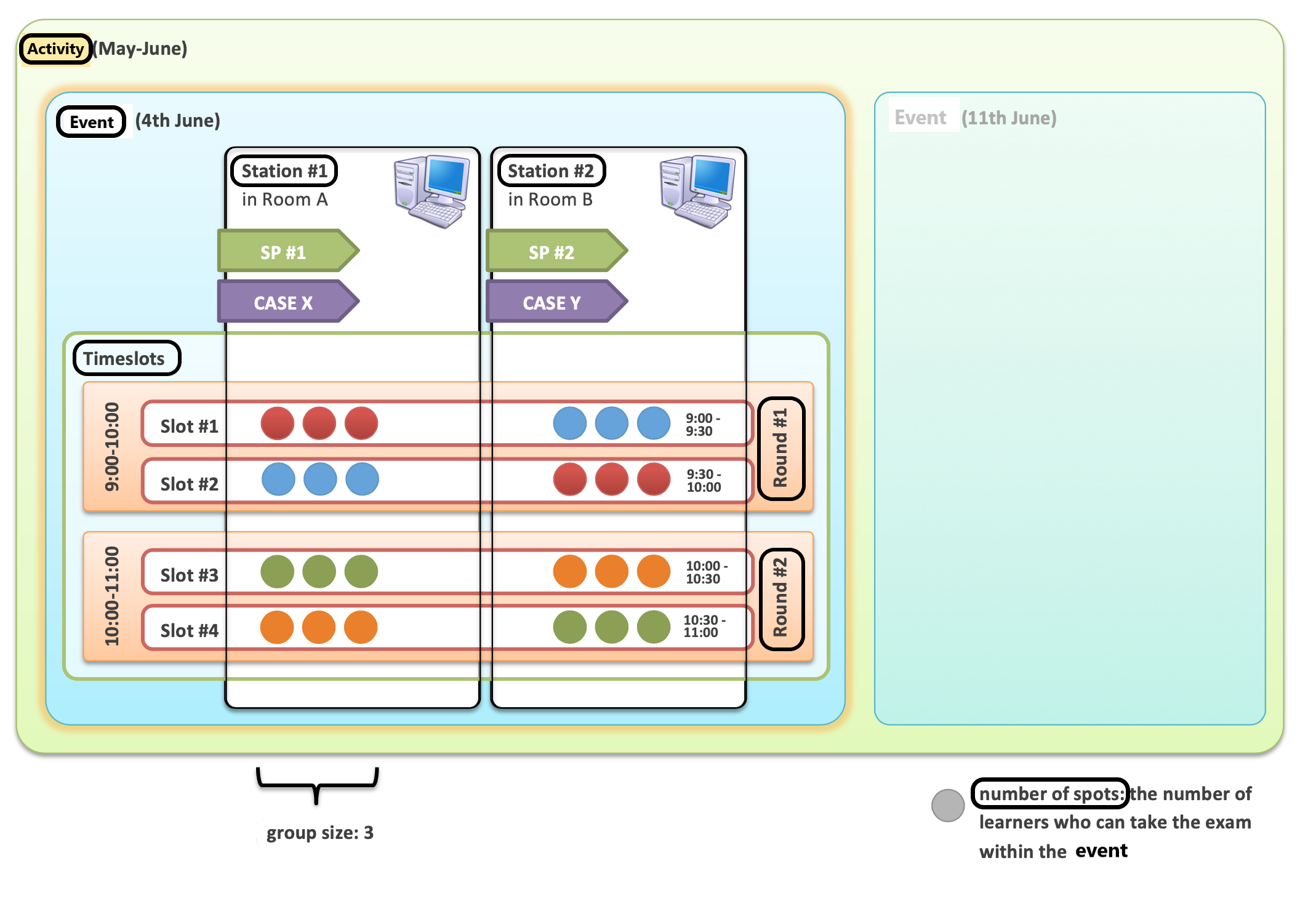
For an introduction to Advanced Scheduling, please visit the How to Understand Concepts within Advanced Scheduling page.
In the Activity Scheduler, select the Group size to specify the simultaneous number of learners participating in an encounter at the same station.
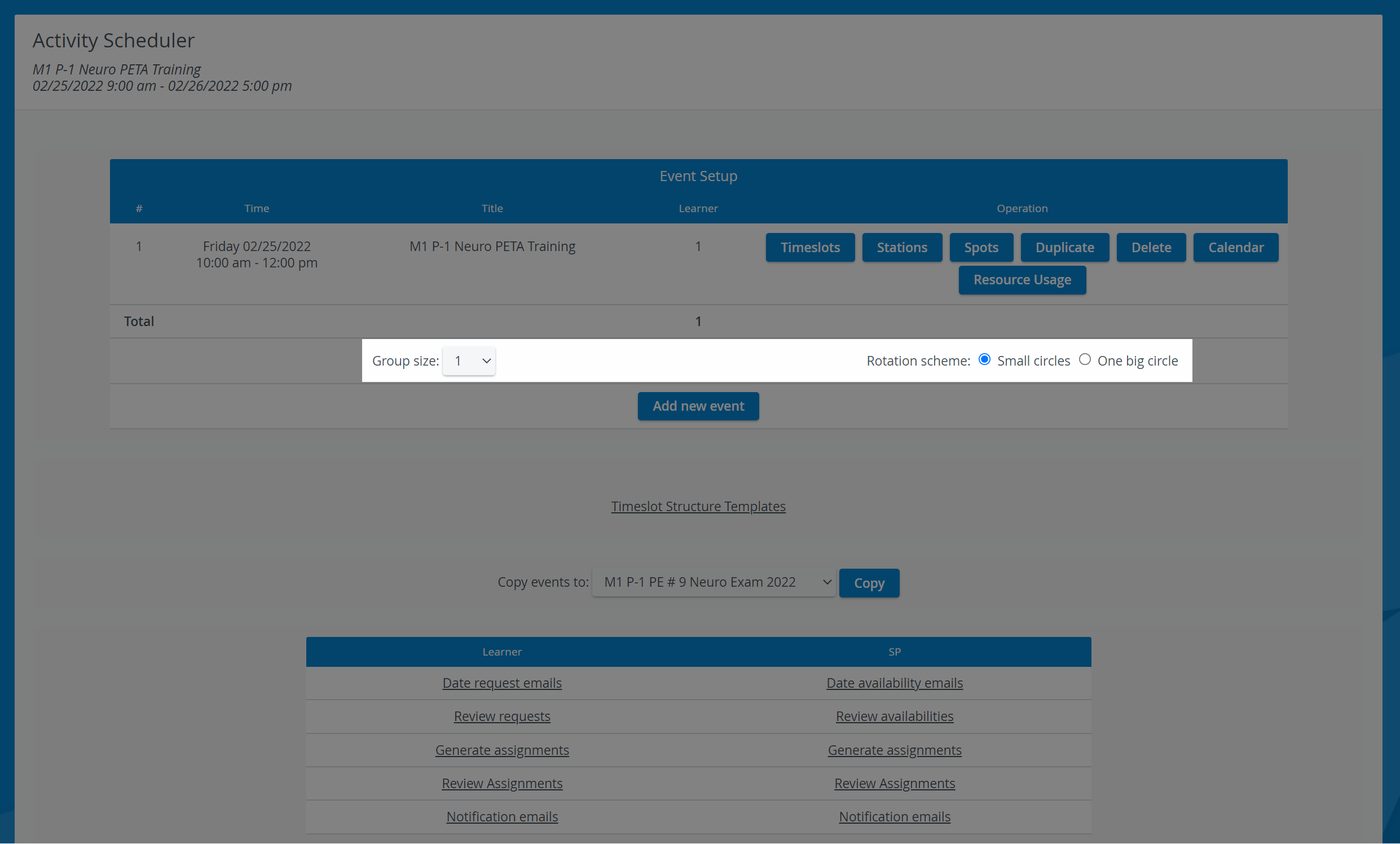
By default, the group size is set to one.
2. Select a Rotation scheme radio button:
Small circles - The system rotates or circles learners around a group of stations.
Multiple concurrent circles are formed if Cases are being run on multiple stations.💡 This setup can be more efficient during overbooking situations.
The two-circle setup scheme creates two synchronized circles.
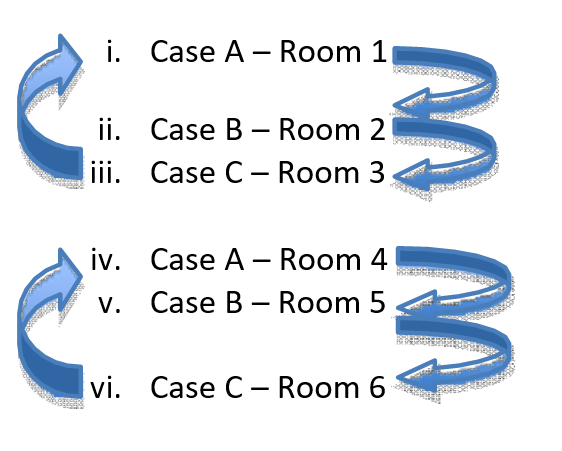
Circle One:
Learner A begins in Room 1 → rotates to Room 2 → and then rotates to Room 3.
Learner B begins in Room 2, → rotates to Room 3 → and then rotates to Room 1.
Learner C begins in Room 3, → rotates to Room 1 →, and then rotates to Room 2.
Circle Two:
Learner D begins in Room 4, → rotates to Room 5 → and then rotates to Room 6.
Learner E begins in Room 5, → rotates to Room 6 → and then rotates to Room 4.
Learner F begins in Room 6 → rotates to Room 4 → and then rotates to Room 5.
One big circle - All the learners rotate around the stations in one sequence (each student always moves to the next station).
💡 This option is simpler but less effective when stations are overbooked.
The one-circle setup scheme creates one all-inclusive circle.
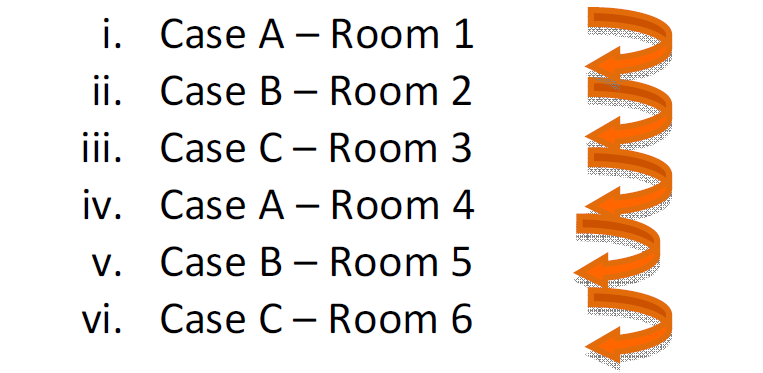
Learner A begins in Room 1, → rotates to Room 2, → and then rotates to Room 3.
Learner B begins in Room 2, → rotates to Room 3, → and then rotates to Room 4.
Learner C begins in Room 3, → rotates to Room 4, → and then rotates to Room 5.
Learner D begins in Room 4, → rotates to Room 5, → and then rotates to Room 6.
Learner E begins in Room 5, → rotates to Room 6, → and then rotates to Room 1.
Learner F begins in Room 6, → rotates to Room 1, → and then rotates to Room 2.
For further information, visit our Advanced Scheduling pages and view our Activity Manager Training Videos.