How to Add an Equipment and Supply List to a Case
The Equipment and Supply List must be assigned to a Case to be used.
Visit the following page to learn How to Create an Equipment and Supply List.
This gif demonstrates assigning an Equipment and Supply List to a case. For step-by-step instructions, see below.
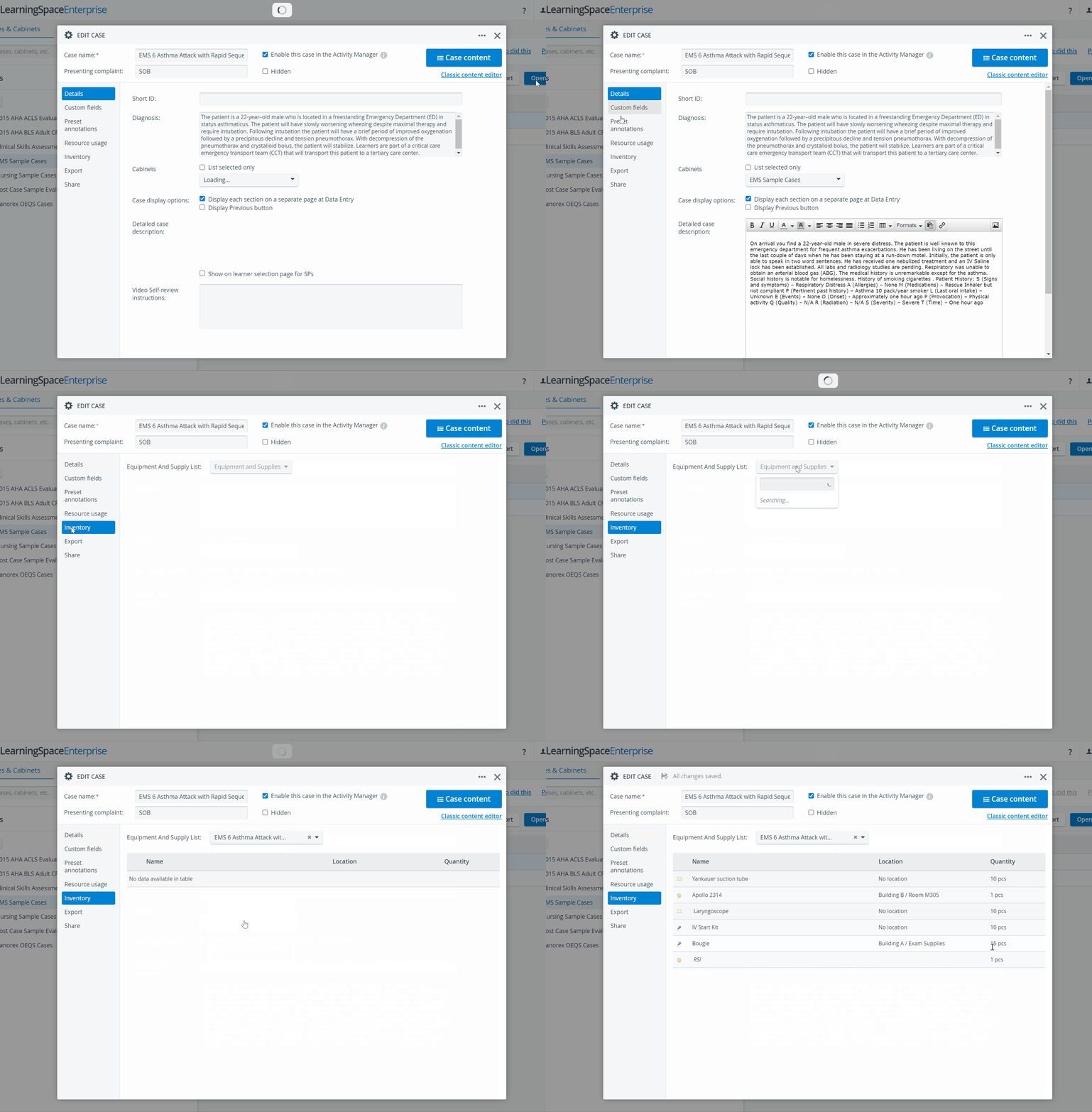
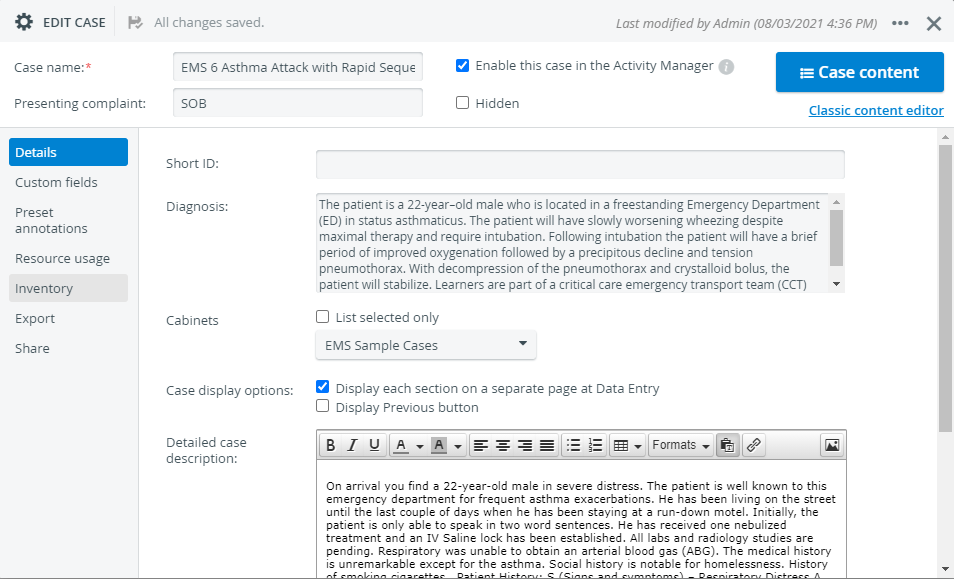
Open a case for editing in the Cases module.
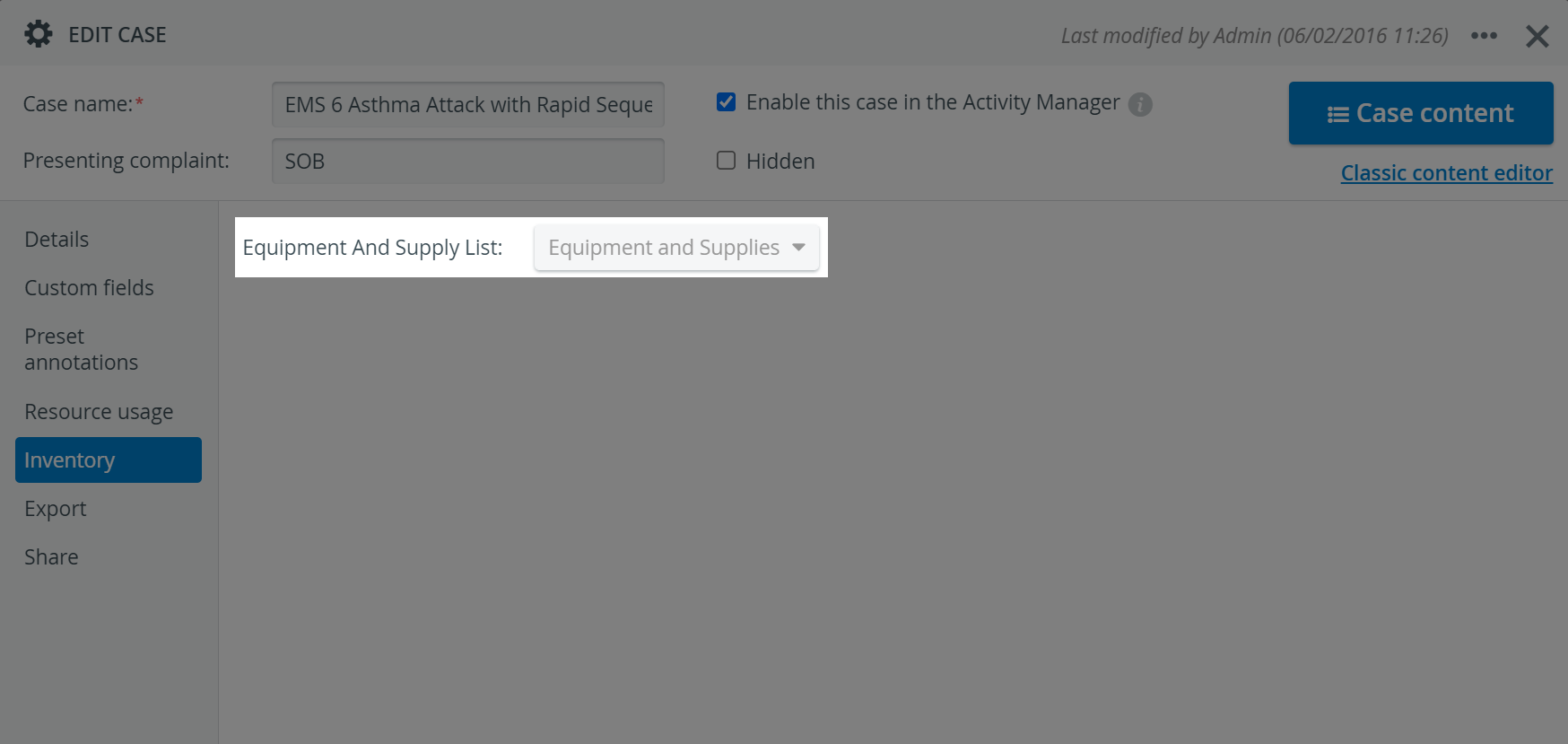
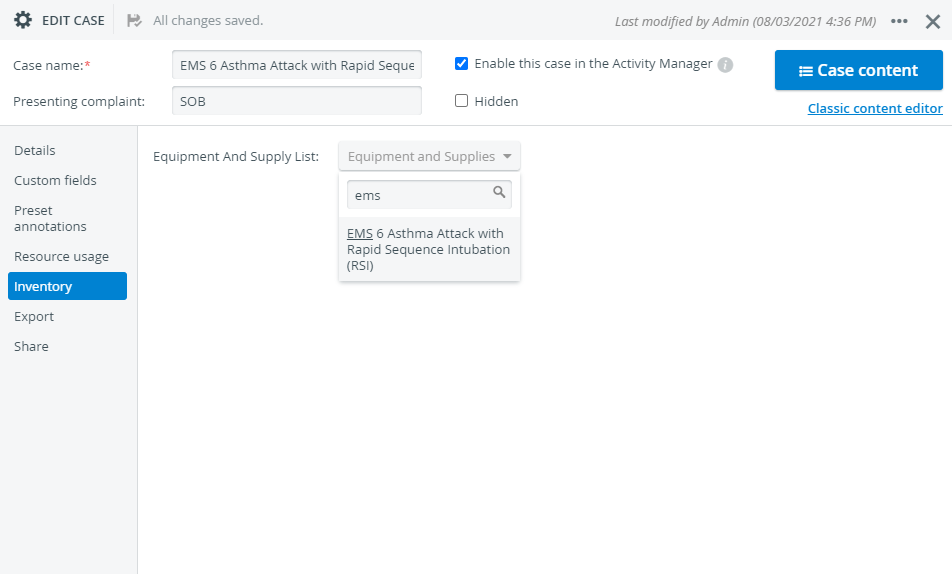
Navigate to the Inventory tab on the left side of the case editor.
Select the appropriate Equipment and Supply List from the drop-down menu.
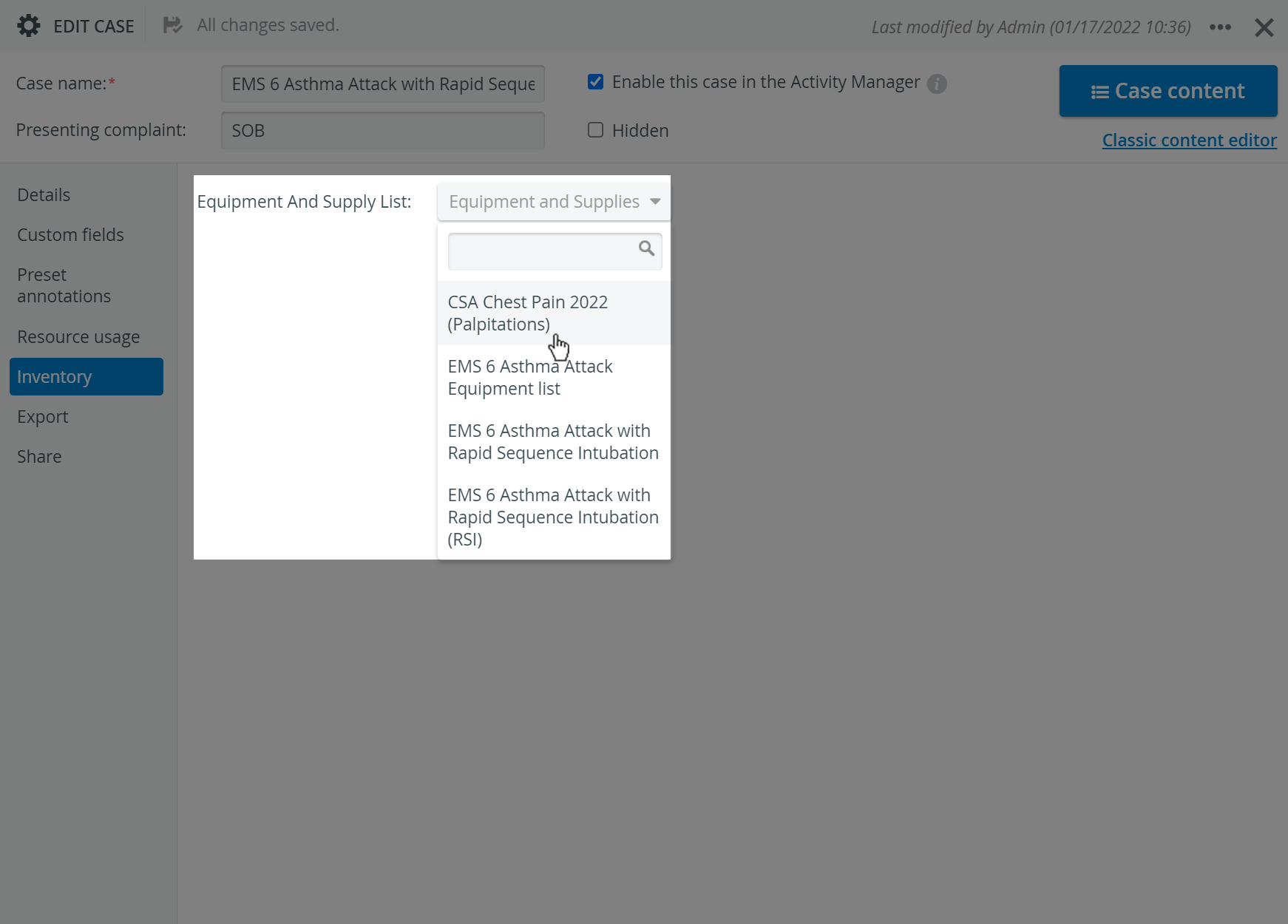
You can filter the results by typing the name of the Equipment and Supply List in the search field and selecting the correct match.
The items in the selected list will be displayed for reference.
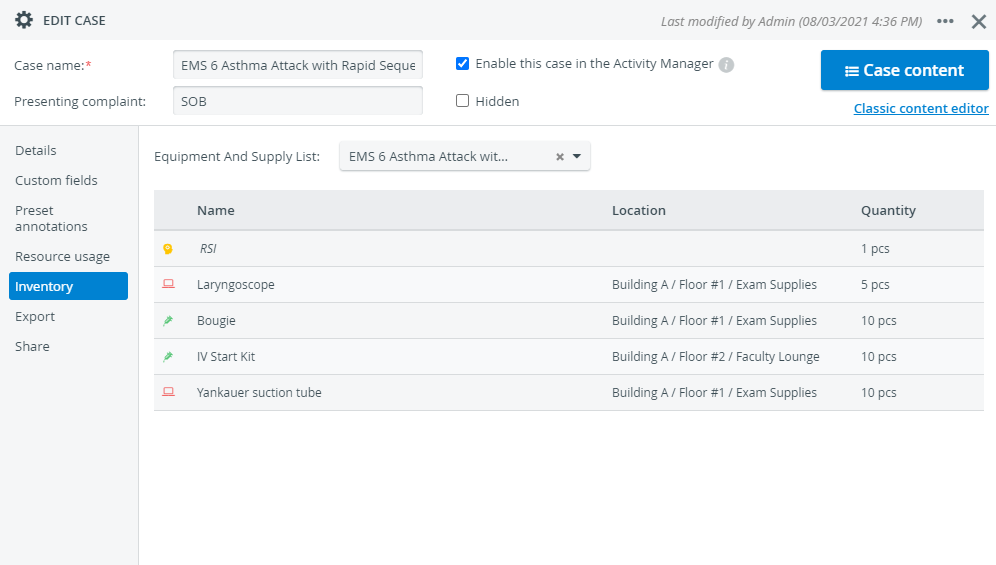
The Equipment and Supply List added to a case cannot be modified in the Case.
To modify the Equipment and Supply List, go to the Equipment and Supply Lists tab in the Inventory module. You can also change items and quantities when you create the Setup Sheet for an event.
Visit the following page to learn How to Create a Setup Sheet.
Learn more about the Inventory Manager pages, and watch the Inventory Manager Training Videos.