How to Access Activity Reporting Setup
Privileges
Admins and users with Report Reviewer (full control) privilege have access to Activity Reporting Setup.
About Report Reviewer (Full Control) Access
Users with Report Reviewer (full control) privilege can only access the Activity Reporting Setup of the particular Activities they were assigned to as faculty members.
Dashboard View
Enter Reports
Go to Preset Reports
Select an Activity whose report settings you would like to manage.
The Activity Reporting Setup link appears at the bottom of the Preset Reports screen.
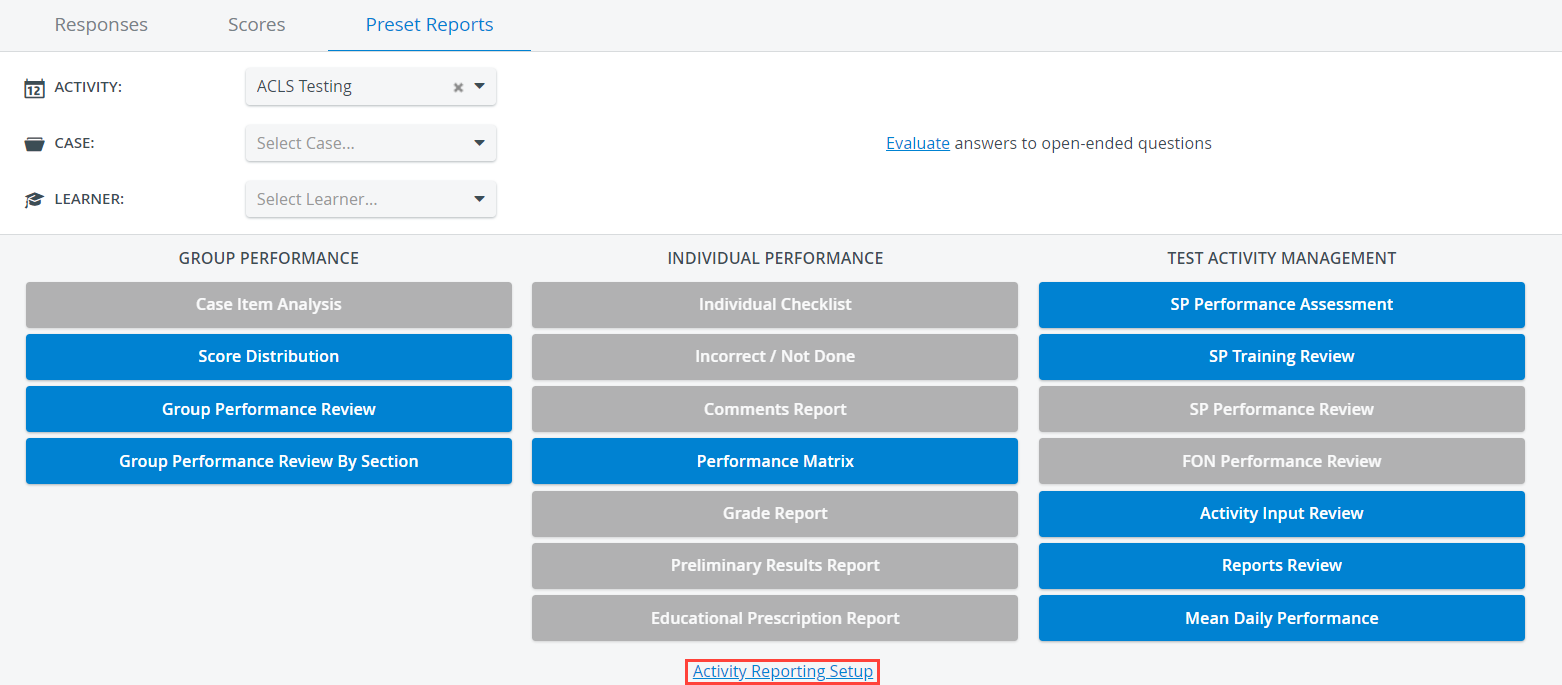
Scroll down in Case you can't see the link at first.
Click on the link to be redirected to the Activity Reporting Setup page of the Activity.
The name of the Activity is displayed in the header of the page to help you determine which report setup you are currently at.

Find out more about the Activity Reporting Setup options.
Classic View
After you have switched to the Classic View of the system,
Click on Reports & Results.
Further options will be open.In the Reports panel (first one), select an Activity Cabinet.
Wait until the page refreshes after selecting a cabinet.Select an Activity from the Activity drop-down and click on Select.
You will be redirected to the Reports page of the Activity.
At the bottom of the page, you can spot the Activity Reporting Setup link.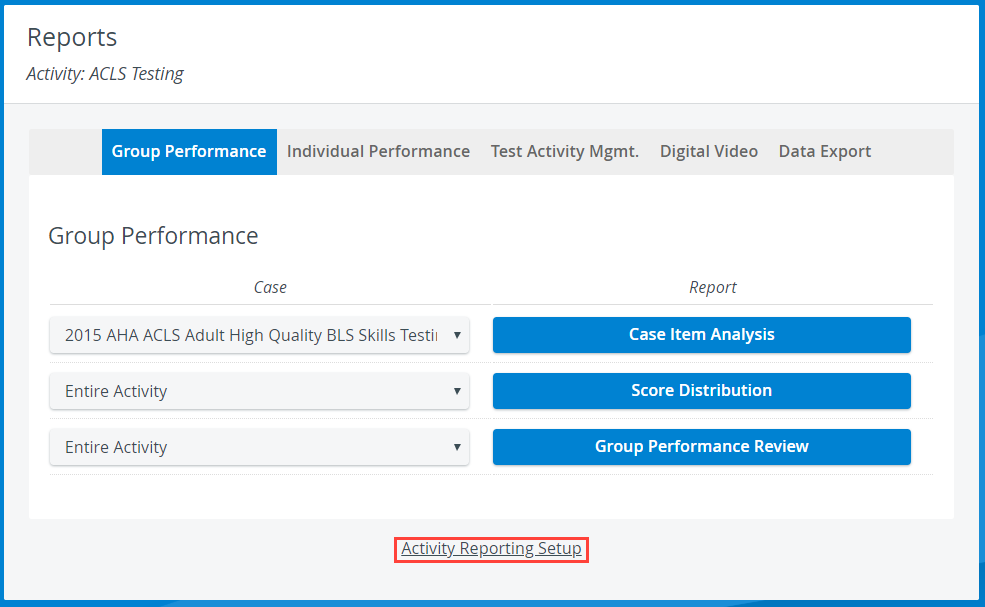
Click on the link to be redirected to the report settings of the Activity.
Read more about the options of Activity Reporting Setup at the following pages:
Report Formatting - including options for Class Average, Historical Average, Decimals, Score Format, Grade Report settings, Preliminary Results/ Skill Report settings, Individual Checklist, and Case System Analysis
Privacy - including Raw Data export, Open-Ended Question Scoring, Group Performance Review, and an option to make Case and Activity Evaluations anonymous.
Passing Score - including determining the score and deciding its display options
SP Performance Assessments - including Observation Requirement
Further options are available at the bottom of the Activity Reporting Setup page:
For more information, visit our Reports Module pages and watch the Reports Module Training Videos.