Histogram
A histogram is a visual aid within the Reports module. It provides a comparative graph of responses to checklist items.
It provides information on the percentage distribution of answers and can be filtered by item.
IMPORTANT: The histogram is displayed only when more than one learner is selected, as it is for comparative purposes.
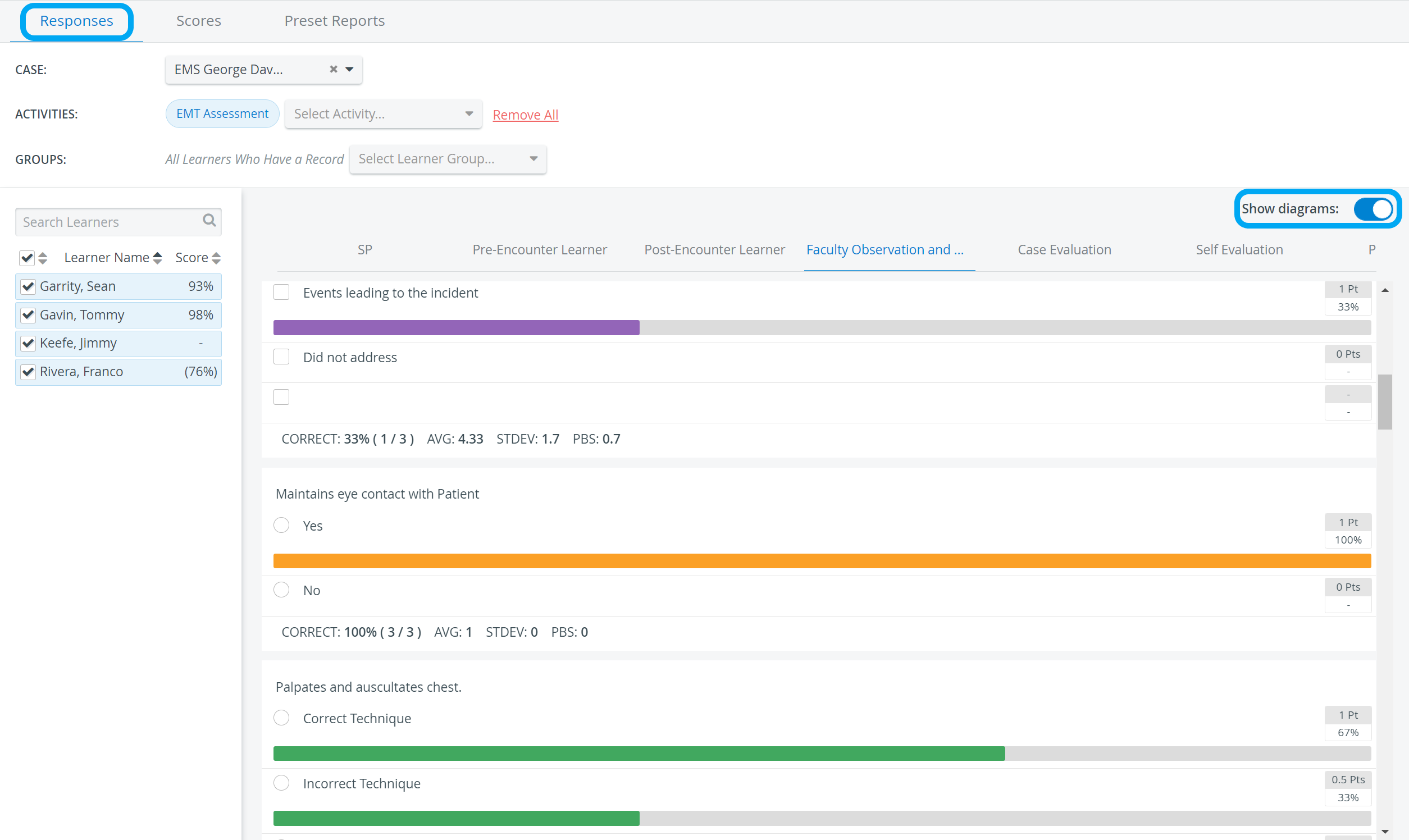
The histogram is available on the following pages of the module:
Case Item Analysis page of the Preset Reports tab
The Show diagrams option can enable the display switch in the top-right corner of either page. By default, the Show diagrams switch is disabled, but the user's setting will be saved for the individual account.
NOTE: If no one has selected an answer, no bar is displayed (as opposed to being grayed out).

To print reports containing Histograms (diagrams), the Background graphics option must be enabled in the Print preview window (More settings > Options).

For more information, see How to Print a Report.
For further information, see the Reports - How to pages and the Reports Module Training Videos.