External Calendar API Endpoint
With the help of the External Calendar API Endpoint feature, users of LearningSpace will be able to process events (including date, event name, and room name) using their software integration components and work with the event information in any way they desire, like:
forwarding them to external calendar applications,
or presenting it as a static webpage.
LearningSpace does not generate an external calendar application; the raw data can be used to generate entries to an external (3rd party) calendar.
IMPORTANT - This process is not a two-way flow of information: data modified or created in an external calendar cannot be returned/sent back to LearningSpace.
This API endpoint can be queried and provides data from the LearningSpace calendar to display outside the system on a public-facing calendar. It refers to today's and future events for the next seven days.
IMPORTANT: For this feature to function, the LearningSpace system must be public (accessible over the public internet), and firewall rules should allow related traffic.
With the feature enabled, when starting a query, events that
are approved
start within that calendar day (from 00:00 of the day of the query)
finish on the seventh day of the query (at 23:59 at the latest), will be displayed.
The customer's IT department should limit the public-facing calendar API’s access to only the automation that is integrated with it, because it does not have authorization enforcement.
How to use the API
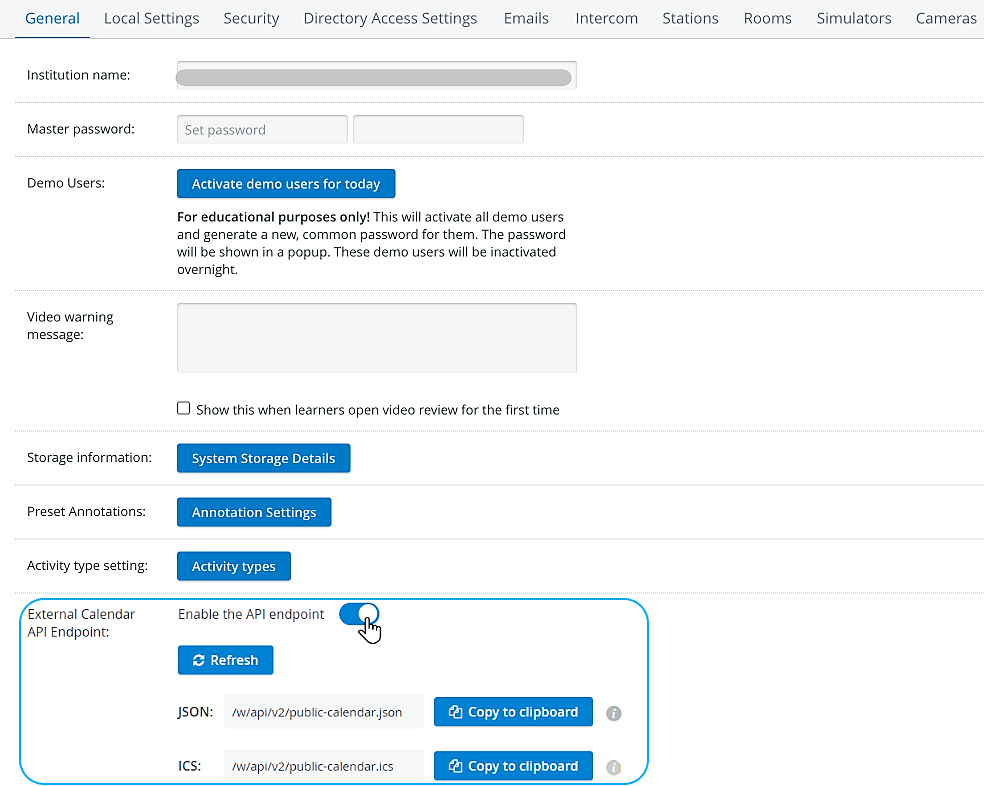
The External Calendar API Endpoint can be enabled by a toggle in the System Manager General tab.
Customizable External Calendar Sync Interval
A new input field has been introduced for the external calendar API under the General System Information tab of the System Manager allowing users to customize the time interval it exposes.
NOTE: The value can be adjusted between 1 and 180 days.

Request data in ICS format
By copying the ICS file, it can be inserted into external calendars (Google, Outlook).


The ICS file can be refreshed with the help of the Refresh button.
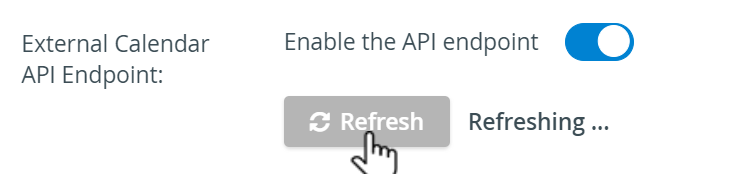
Since changes to the LearningSpace Calendar (e.g., adding new events) can be made frequently, make sure to always use Refresh before proceeding to your external calendar to get the latest content of your LS Calendar.
The system automatically updates the ICS link hourly.

IMPORTANT
Google Calendar updates data from LearningSpace calendars every 12 hours, and Microsoft/Outlook every 3-24 hours.
Therefore, changes may only be visible in LearningSpace a day later.
If you want to force-refresh the Calendar instantly, unsubscribe and subscribe to it in Outlook again.
For more information, go to Outlook Support.
Example for the ics endpoint:
BEGIN:VCALENDAR
VERSION:2.0
PRODID:Data::ICal 0.22
BEGIN:VEVENT
COLOR:turquoise
DESCRIPTION:Weekly Assessment
DTEND:20230626T101500
DTSTAMP:20230622T060102Z
DTSTART:20230626T090000
LOCATION:Sim 1 (Sim Room)
SUMMARY:ACLS Megacode Testing
UID:2023-06-26T09:00:00_ACLS Megacode Testing_Sim 1 (Sim Room)
USERS:
END:VEVENT
BEGIN:VEVENT
COLOR:turquoise
DESCRIPTION:Weekly Assessment
DTEND:20230626T101500
DTSTAMP:20230622T060102Z
DTSTART:20230626T090000
LOCATION:Sim 2 (Sim Room)
SUMMARY:ACLS Megacode Testing
UID:2023-06-26T09:00:00_ACLS Megacode Testing_Sim 2 (Sim Room)
USERS:
END:VEVENT
BEGIN:VEVENT
COLOR:turquoise
DESCRIPTION:Weekly Assessment
DTEND:20230626T101500
DTSTAMP:20230622T060102Z
DTSTART:20230626T090000
LOCATION:Sim 3 (Sim Room)
SUMMARY:ACLS Megacode Testing
UID:2023-06-26T09:00:00_ACLS Megacode Testing_Sim 3 (Sim Room)
USERS:
END:VEVENT
BEGIN:VEVENT
COLOR:turquoise
DESCRIPTION:Weekly Assessment
DTEND:20230626T101500
DTSTAMP:20230622T060102Z
DTSTART:20230626T090000
LOCATION:Sim 4 (Sim Room)
SUMMARY:ACLS Megacode Testing
UID:2023-06-26T09:00:00_ACLS Megacode Testing_Sim 4 (Sim Room)
USERS:
END:VEVENT
BEGIN:VEVENT
COLOR:turquoise
DESCRIPTION:Weekly Assessment
DTEND:20230626T101500
DTSTAMP:20230622T060102Z
DTSTART:20230626T090000
LOCATION:Sim 5 (Sim Room)
SUMMARY:ACLS Megacode Testing
UID:2023-06-26T09:00:00_ACLS Megacode Testing_Sim 5 (Sim Room)
USERS:
END:VEVENT
BEGIN:VEVENT
COLOR:turquoise
DESCRIPTION:Weekly Assessment
DTEND:20230626T101500
DTSTAMP:20230622T060102Z
DTSTART:20230626T090000
LOCATION:Sim 6 (Sim Room)
SUMMARY:ACLS Megacode Testing
UID:2023-06-26T09:00:00_ACLS Megacode Testing_Sim 6 (Sim Room)
USERS:
END:VEVENT
END:VCALENDAR }
For a step-by-step guide, go to How to Utilize External Calendar API Endpoint.
Request data in JSON format
By copying the JSON file, it can be inserted into external calendars (Google, Outlook).
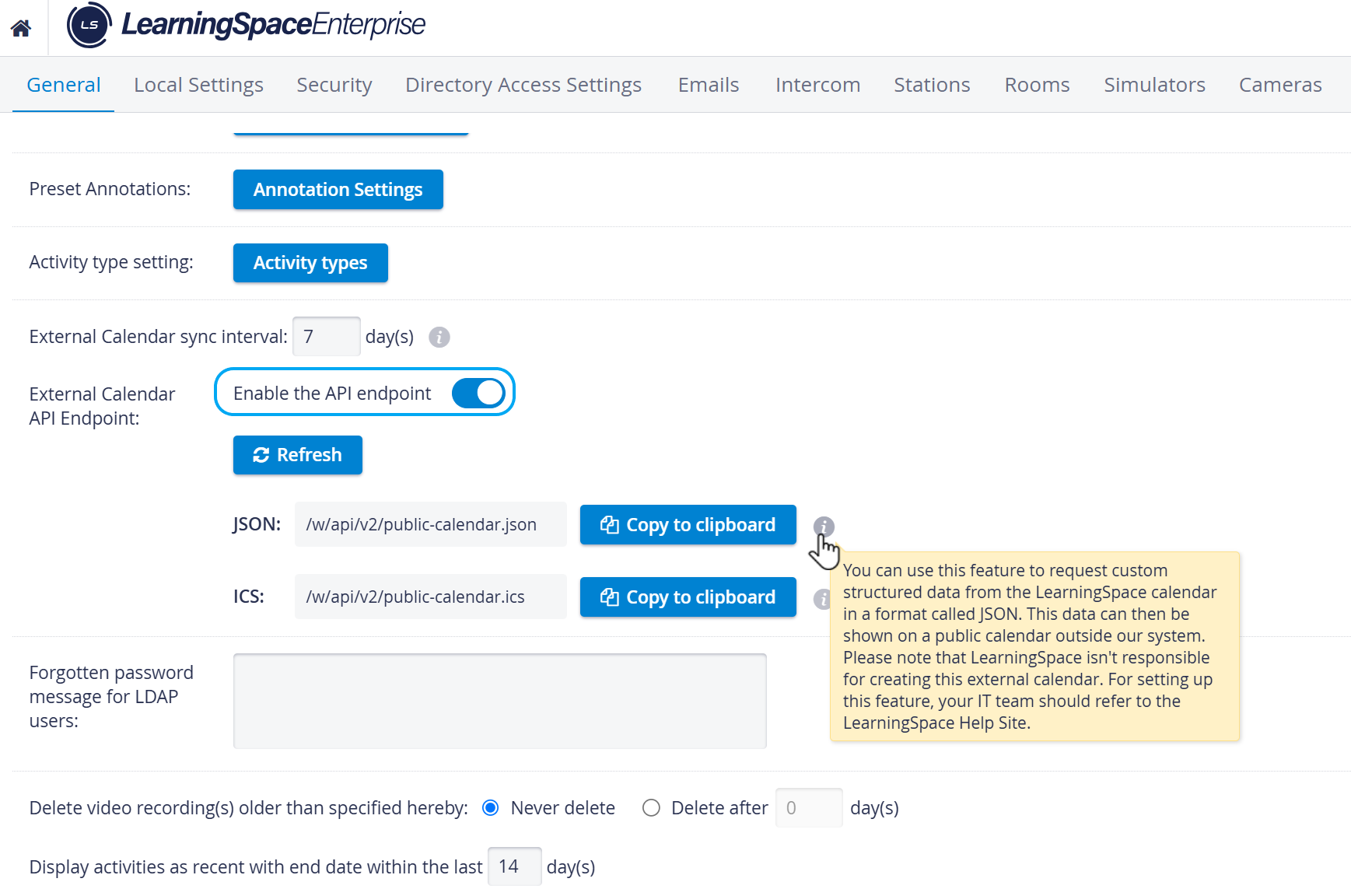
Information for software developers of our customers:
use an HTTP GET request to retrieve the external-facing calendar contents as a JSON document
the API endpoint is
https://<your.learning.space.edu>/w/api/v2/public-calendar.jsonthe API definition is available as an OpenAPI specification at:
https://<your.learning.space.edu>/w/api/v2/openapi.ymlwrite code to parse the event list to present it or process it according to your requirements
Example for the JSON endpoint:
{
  "events": [
    {
      "isRecurringSeries": false,
      "isPartOfRecurringSeries": true,
      "activity": {
        "color": "neonCarrot",
        "title": "ACLS Testing "
      },
      "eventStart": "2022-06-13T07:00:00Z",
      "note": "Weekly Assessment",
      "rooms": [
        {
          "location": null,
          "name": "Sim 1 (Sim Room)"
        },
        {
          "location": null,
          "name": "Sim 2 (Sim Room)"
        },
        {
          "location": null,
          "name": "Sim 3 (Sim Room)"
        },
        {
          "location": null,
          "name": "Sim 4 (Sim Room)"
        },
        {
          "location": null,
          "name": "Sim 5 (Sim Room)"
        },
        {
          "location": null,
          "name": "Sim 6 (Sim Room)"
        }
      ],
      "durationMinutes": 180,
      "title": "ACLS Megacode Testing",
      "eventEnd": "2022-06-13T10:00:00Z"
    },
    {
      "isRecurringSeries": false,
      "isPartOfRecurringSeries": false,
      "activity": {
        "color": "neonCarrot",
        "title": "SON C/O 2019 Assessment"
      },
      "eventStart": "2022-06-09T07:00:00Z",
      "note": null,
      "rooms": [
        {
          "location": null,
          "name": "Exam 1 (Exam Room)"
        }
      ],
      "durationMinutes": 135,
      "title": "Effective Assessment and Communication Skills Event",
      "eventEnd": "2022-06-09T09:15:00Z"
    }
  ],
  "eventsTo": "2022-06-16T21:59:59Z",
  "generatedAt": "2022-06-09T05:57:10Z",
  "eventsFrom": "2022-06-08T22:00:00Z"
}
For a step-by-step guide, go to How to Utilize External Calendar API Endpoint.
See also External Calendar API Endpoint in System Manager - Feature Notes.
For further improvements in the Calendar, see the Inventory Module Update 2022 Spring Feature notes.
For more information, visit our System Manager and System - How to pages.