Events tab
The Events tab of an Activity lists all of the events that were created either in the Calendar module or via Advanced Scheduling.
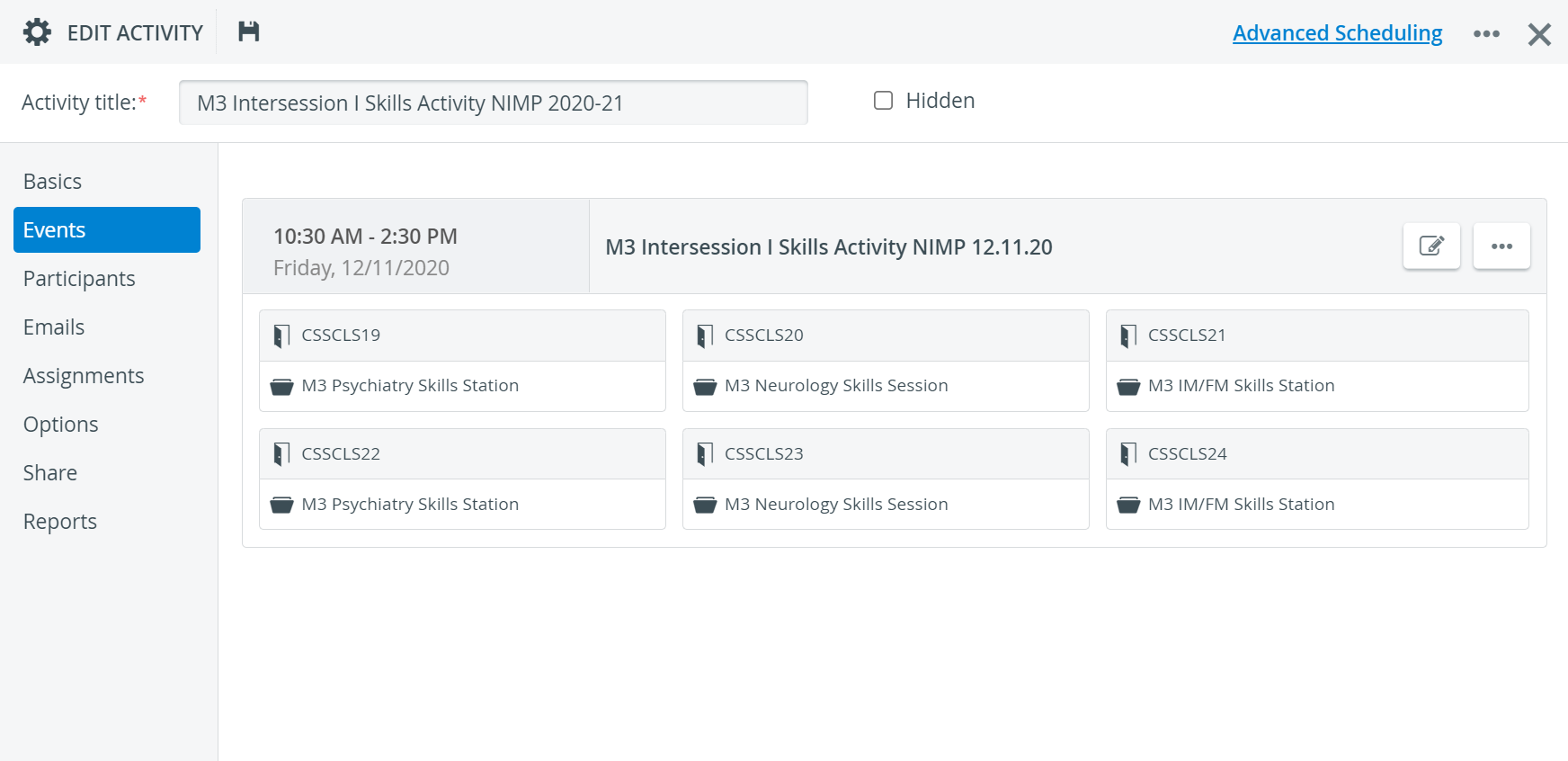
Each event is displayed in a separate panel.
The event panels display basic information about the events:
Name of the event
Time and date
Room(s) if already added and
Case(s) if already added
To modify an event in the Calendar, click the pencil icon.

💡 To modify an event in the Activity Scheduler, click the Advanced Scheduling link in the upper right corner of the Edit Activity window.
Important
Round and timeslot assignments can only be set up via the Activity Scheduler.
To delete an event, click the more options icon in the event's panel, then click Delete event.

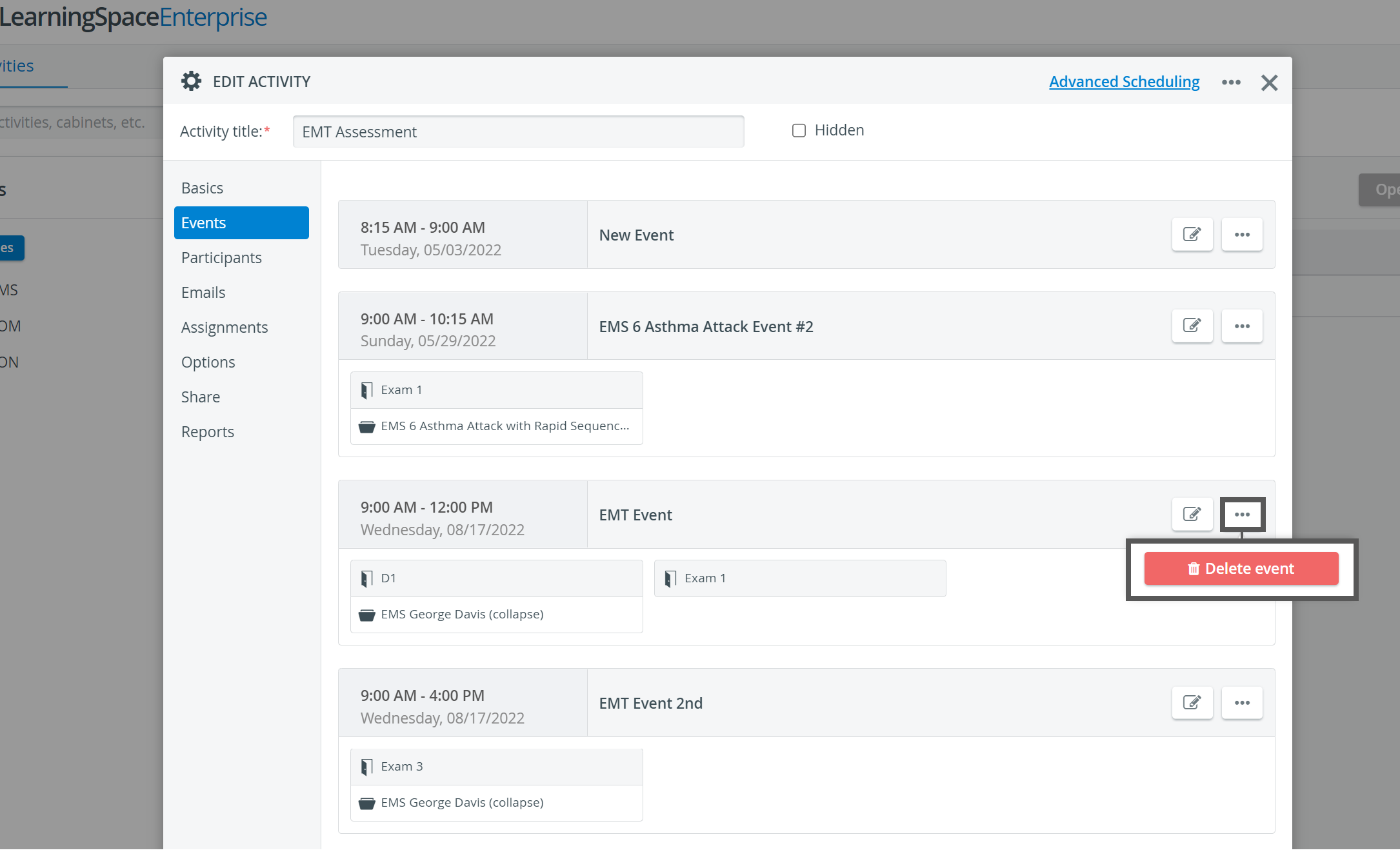
Deleting an event removes it from both Scheduling and Calendar.
For more information, visit our Activity - How to pages and view our Activity Manager Training Videos.