Edit Case Pop-Up Window
The Edit Case pop-up window is the interface for creating a new Case or modifying an existing One. The tabs in the pop-up contain data on various properties of the Case.
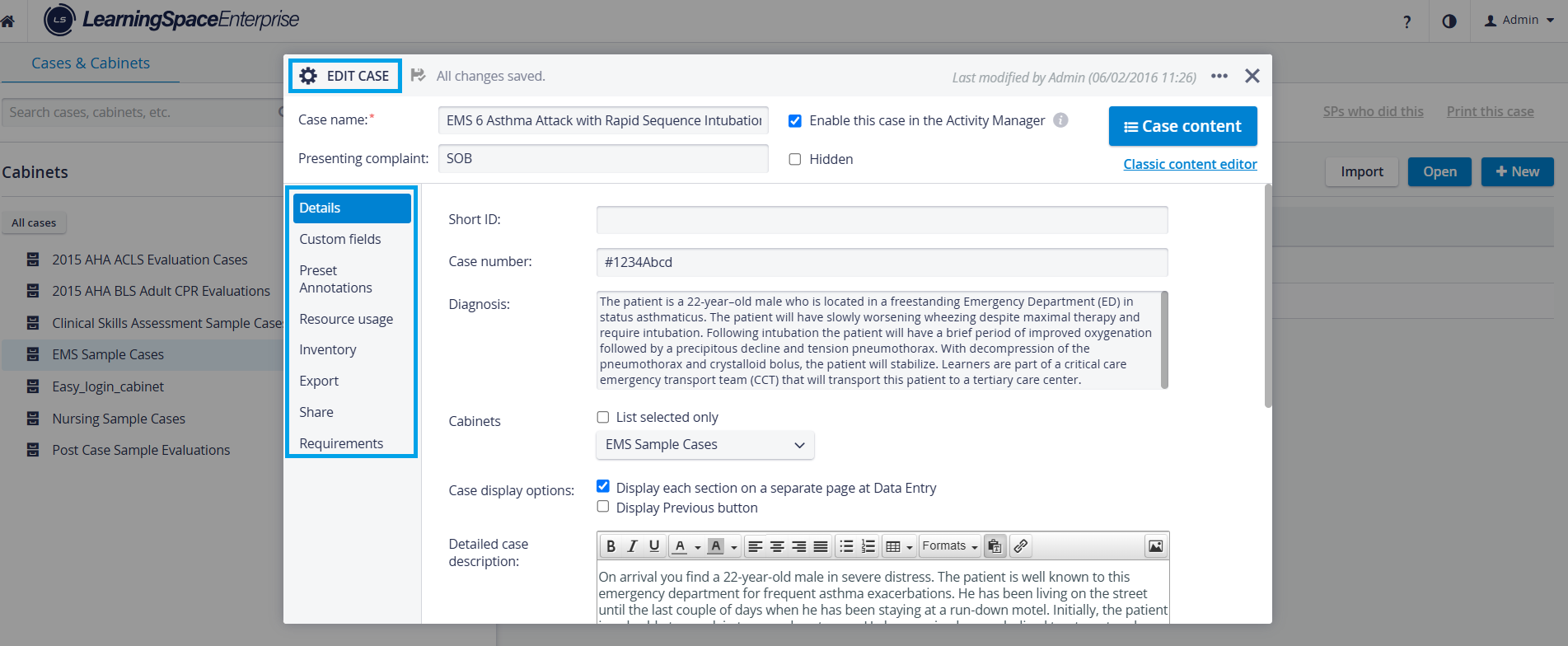
Users with Case Author privilege can only access and edit existing Cases shared with them on the Share tab of the Edit Case pop-up window.
However, they can create and fully access new Cases, as upon creating a new Case, they are automatically granted Read and write access via the Share option.
Header Data
The header of the pop-up accommodates the following fields:

Case name - required. The Case cannot be edited further without a title.
Providing a title is essential in creating a new Case. Without a title entered, switching between tabs is not possible.
Also, the system does not save the newly added Case if no title is provided, even if other data was entered on the Details tab.
Presenting complaint - optional, displayed in brackets after the Case name in all modules where Cases are relevant (Activity Manager, Reports, etc.).
Since the presenting complaint is displayed alongside the Case title, do not include information intended to be hidden from learners.
Enable this Case in the Activity Manager - Once a Case is complete (built up as required), it can be made available in the Activity Manager by ticking this checkbox.
This checkbox is not ticked by default. Therefore, if a Case has been created but is not available in the Activity Manager, it is highly probable that the checkbox has not been ticked.
Hidden checkbox: hiding a Case is an alternative to deleting it and removing it from the database. Ticking the Hidden checkbox for a Case has the following effects:
Data entry is still possible for a hidden Case when it is assigned to a running Activity.
Hidden Cases are also displayed in reports if the Activity is running.
Case Content - this button navigates to the checklist editor.
For further information, visit our Case Manager and Cases - How to pages or watch our Case Manager Training Videos.