Combined MP4 Download for Video Records - Feature Notes
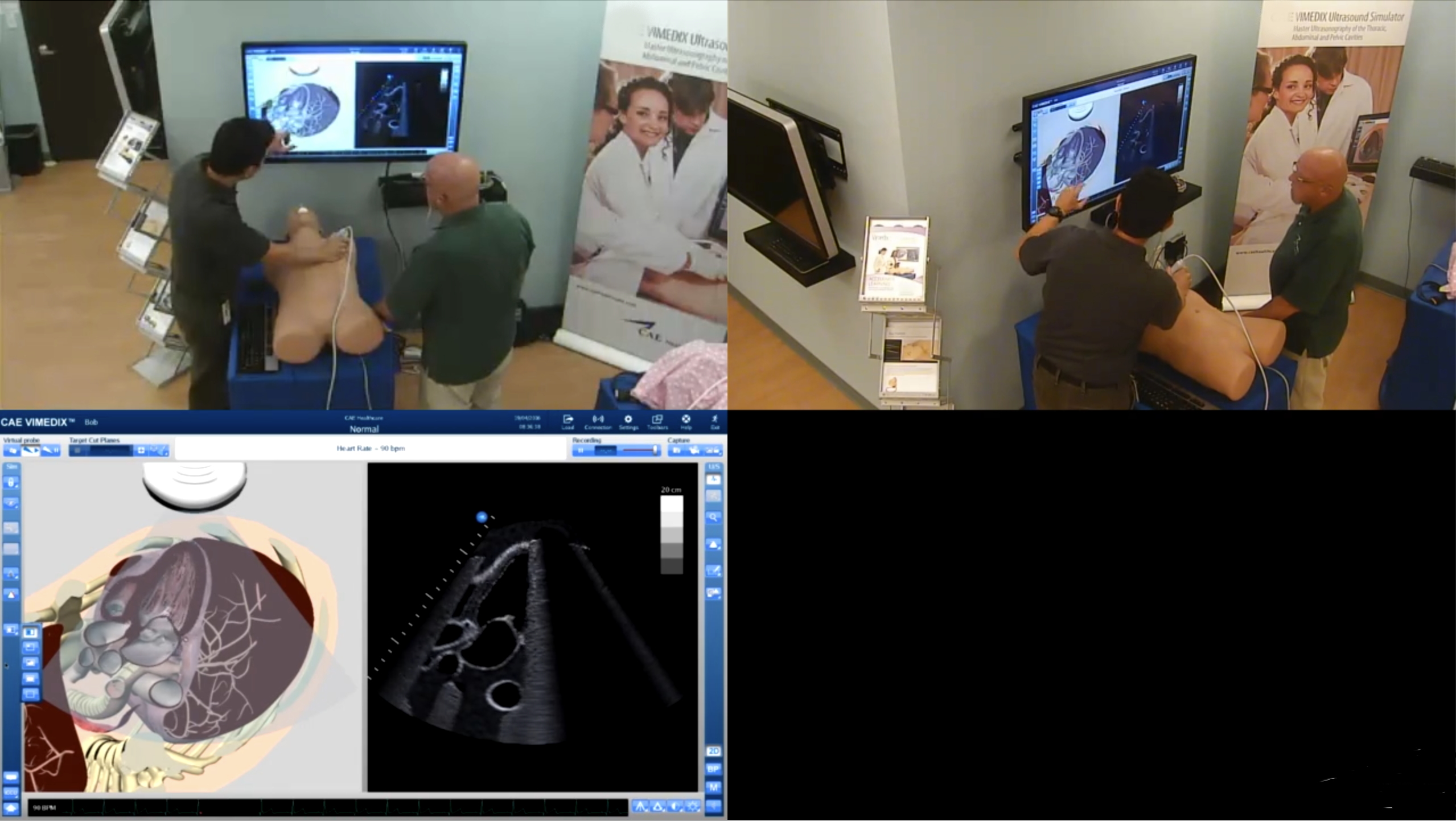
Th Combined MP4 video download feature allows downloading a video recording as a combined video of the video files - similar to how it looks on the Video Review page.
IMPORTANT: Simulation data is NOT included in the combined video download.
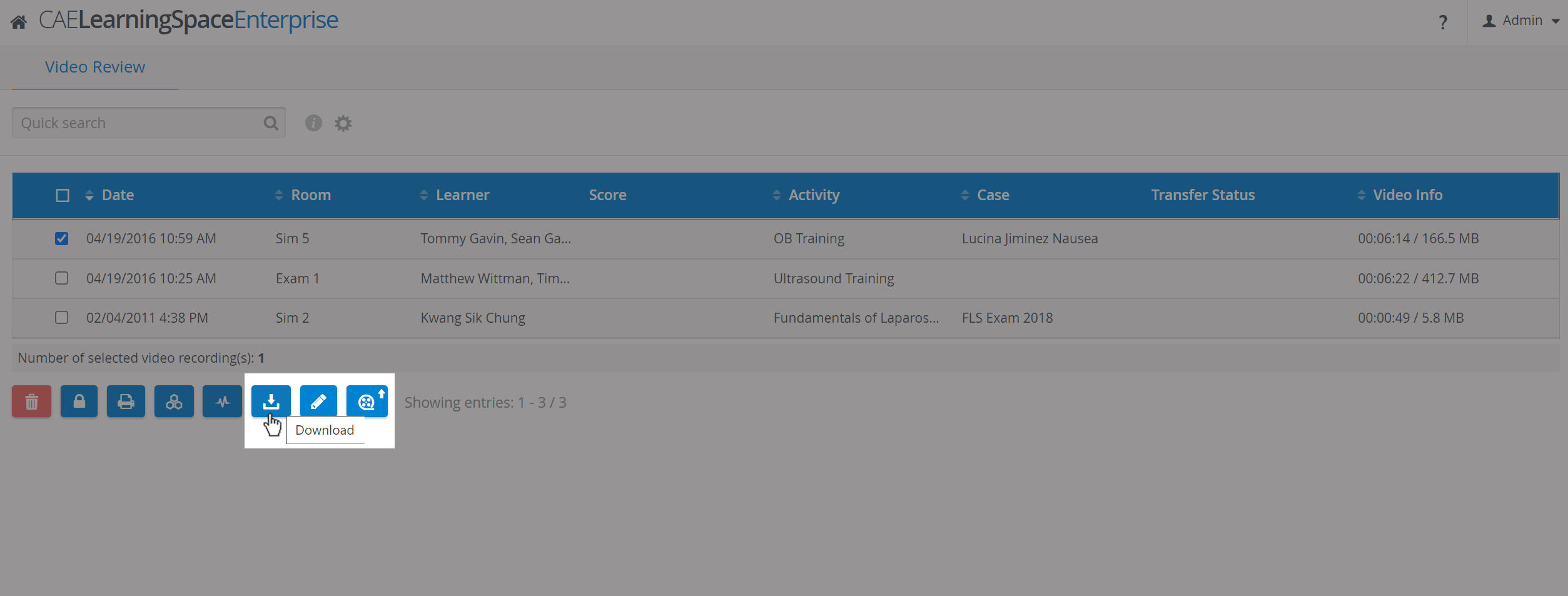
Within the Video Review module, select a video record and click download.
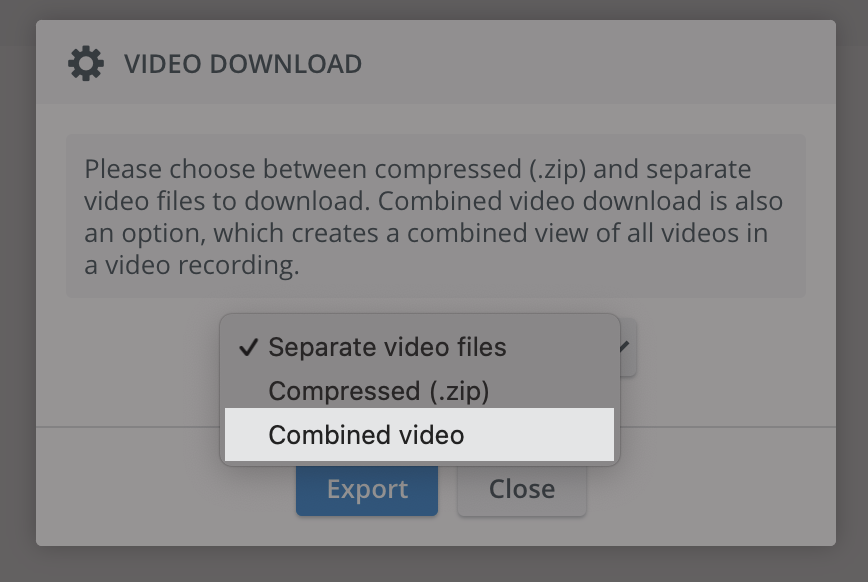
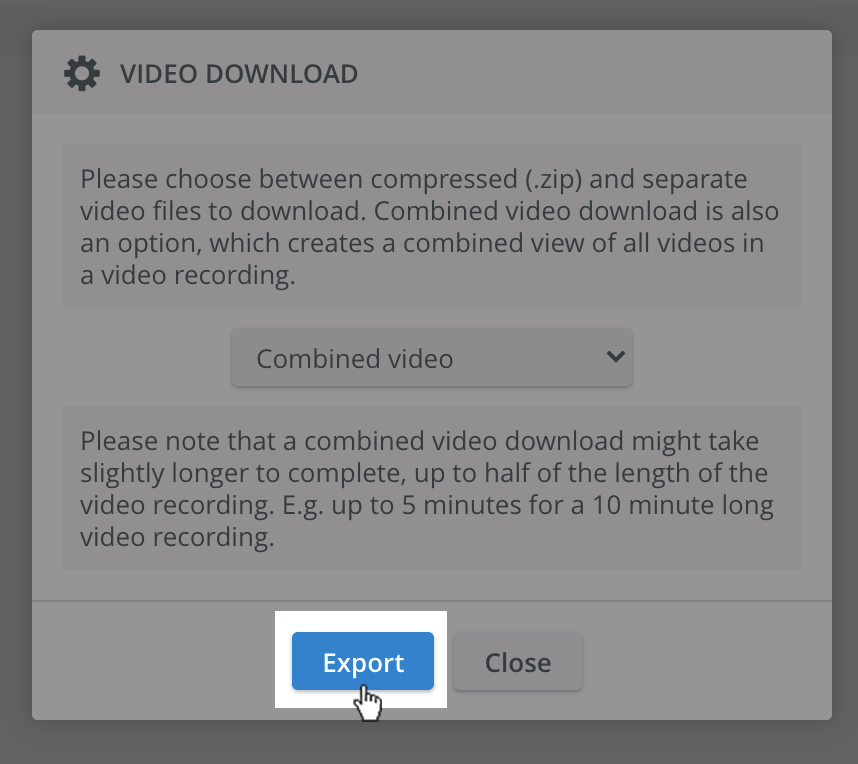
If the feature is enabled, you will be presented with a choice of downloading the combined MP4 version.
When selecting a Combined video, a second message appears:
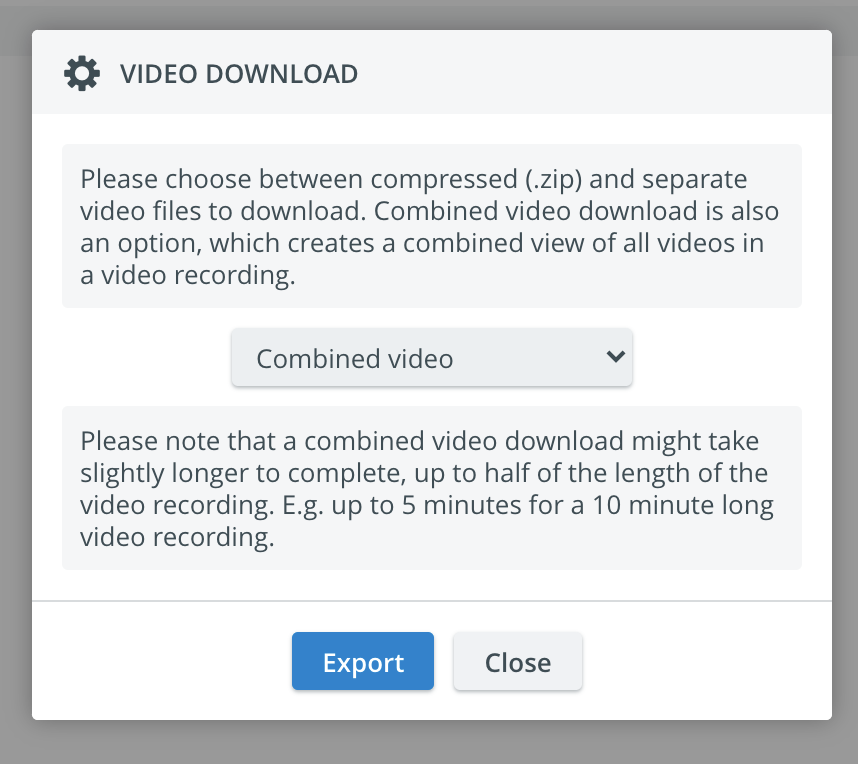
Click on Export to have the downloading process started.
The download starts, and a progress bar is displayed while the video is processing (like for .zip download).
You can stop downloading at any time by clicking the Terminate button.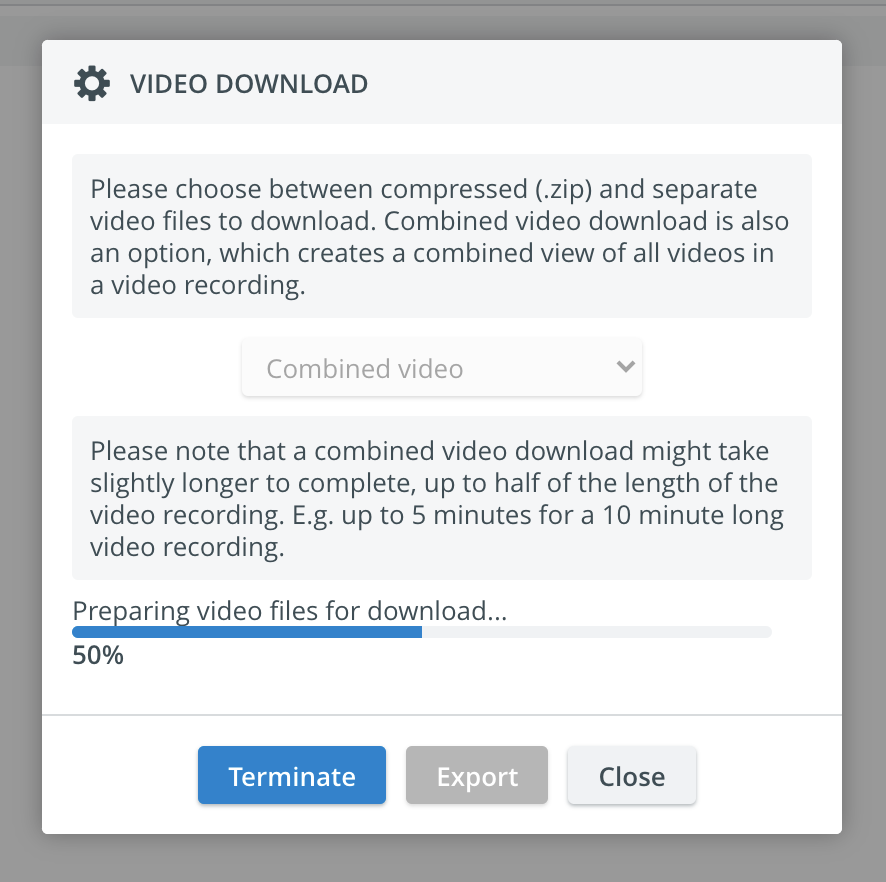
Once the combined video is ready, the file is downloaded through the browser.
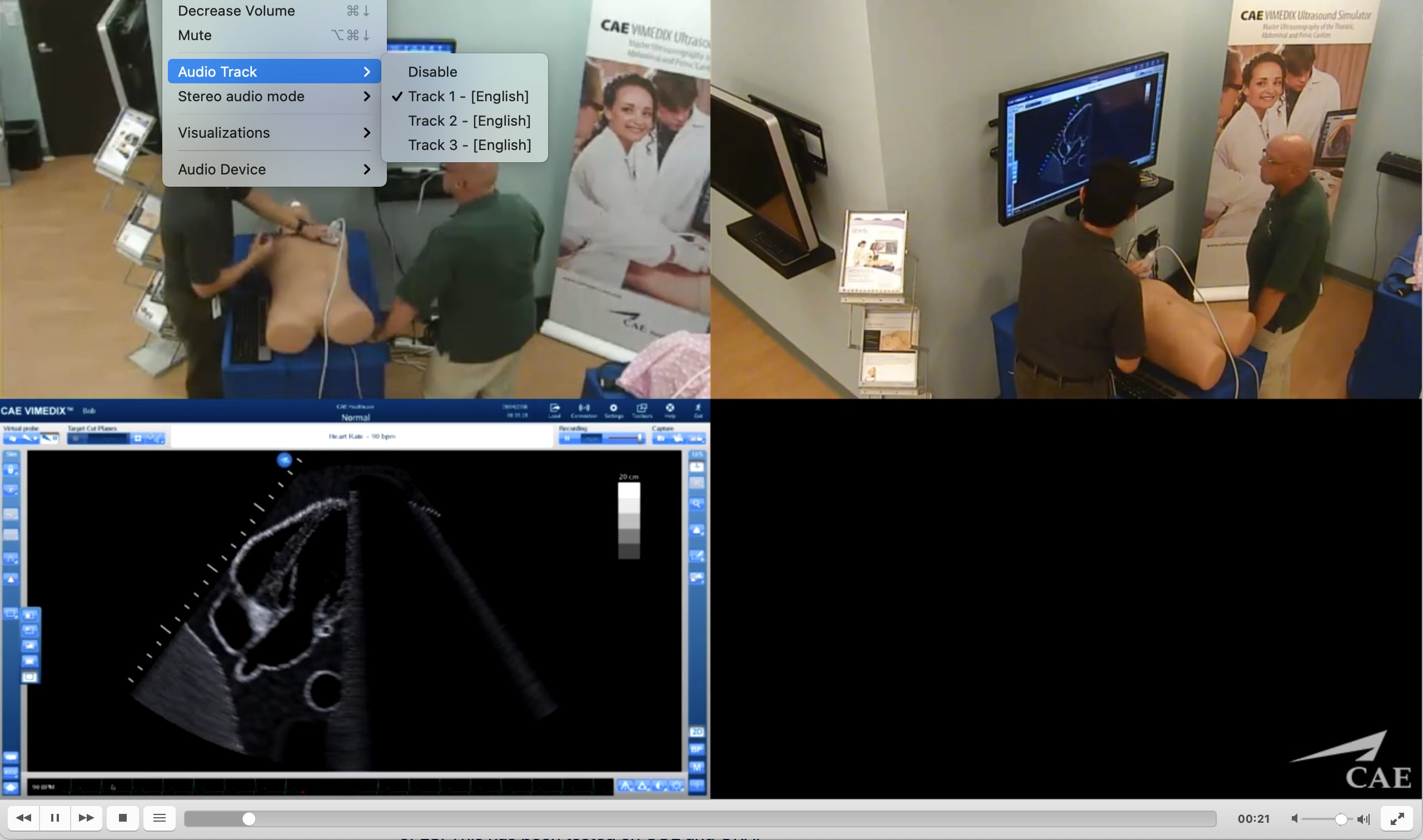
The downloaded file will have the extension of mp4 and will have "combined" in the file name: 'combined.mp4.'The resulting video combines the video files in the video record.
If you close the video download pop-up and want to start downloading the same file again, it will pre-select the currently running download type (ZIP or combined) and display the current progress.
There are layout presets for up to 6 video files to be combined into a single video.
The resulting video has as many audio channels as the number of videos having an audio track. The first audio track available will be the default audio track. Other tracks can be selected during playback later. (See more information on video recording without audio here).
The system can perform only one ZIP/combined download at a time.
Learn more about video recording downloads in LearningSpace on our Video Review and Video Review - How to pages.