Checklists - Case parts
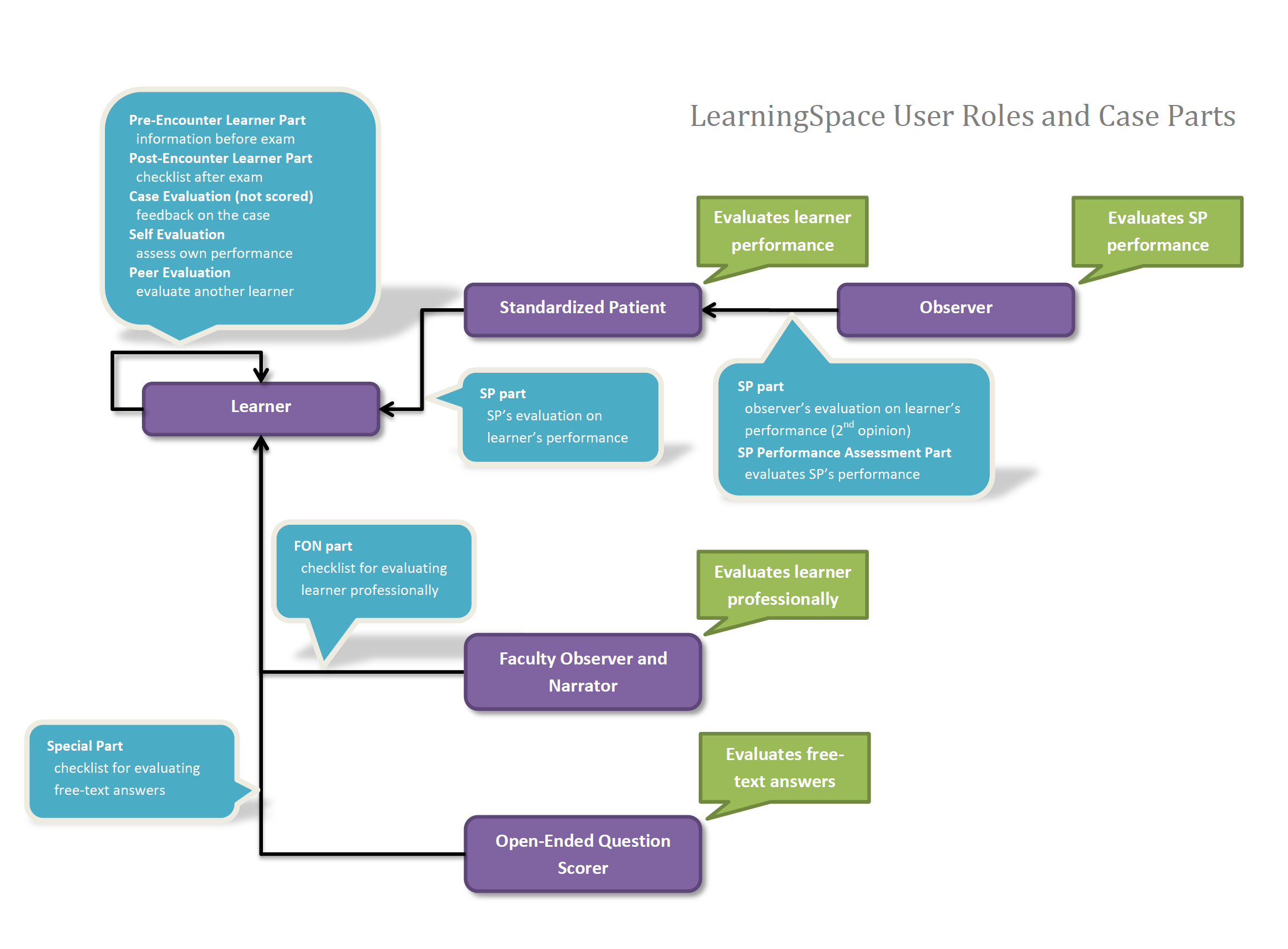
Checklists are different parts of a Case that can be used for various purposes, such as
Learner evaluation,
online exams,
peer or self-evaluation,
quality assurance of your training program, etc.
The checklists can be as follows, according to their purposes and target users:
Pre-Encounter Learner
Post-Encounter Learner
Faculty Observation and Narrative (FON) Part
Self-Evaluation
Peer Evaluation
SP
SP Performance Assessment
SP Training
Case Evaluation
Special Sections
A checklist consists of one or more sections. Checklists are built up of items, and since items cannot be added independently to a checklist, only within a section, it follows that a checklist always contains at least one section.
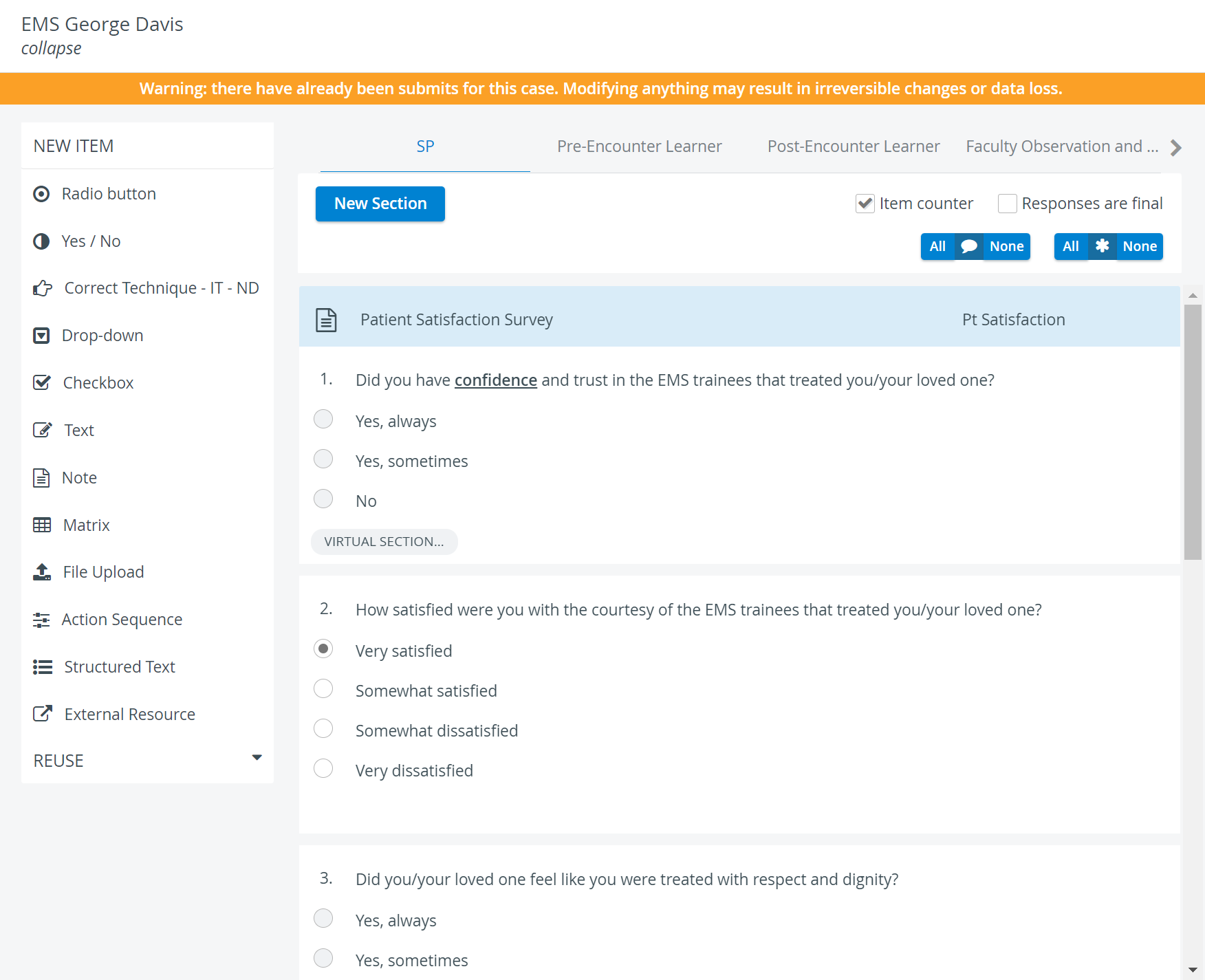
Checklists can be created or edited on the Case content screen and are accessible via the Case Content button in the Edit Case pop-up window.
Using various parts in a Case is optional; setting and combining them completely depends on the user's goals.
Some features of LearningSpace can only be used if certain checklists are created in a Case.
For instance, a Case evaluation can only be set up if there is a Case Evaluation part within the Case.
For further information, visit our Case Manager and Cases - How to pages or watch our Case Manager Training Videos.