Checkbox

Enter the question in the field next to the number of the item, then type in the answer choices in the Enter Answer fields.
You can add more fields by clicking the Add New Answer button, or delete any extra field by clicking the icon appearing when hovering over the row to be deleted.

Once the answers are complete, the Maximum selectable answers can be limited via the corresponding drop-down.
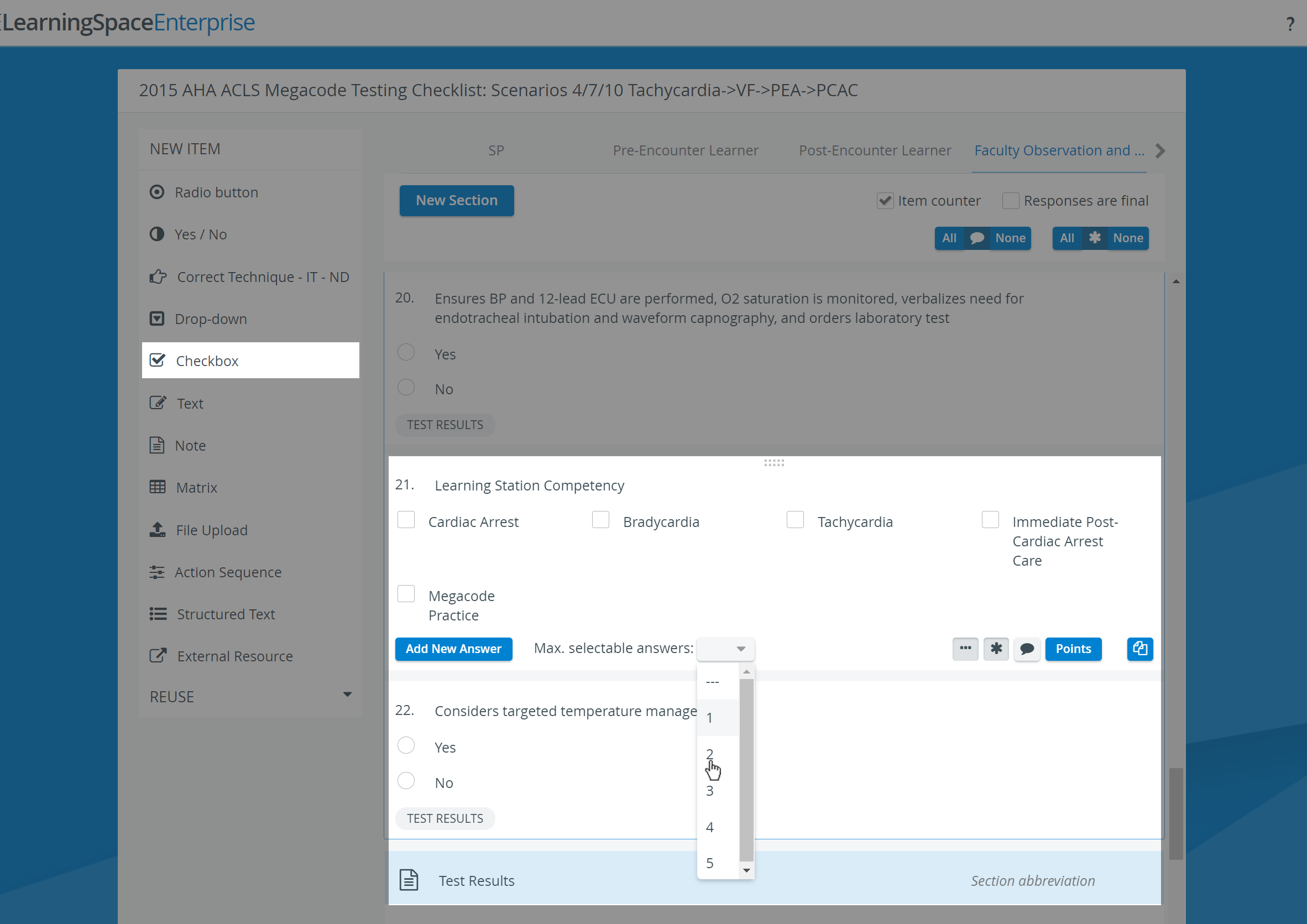
Use the buttons in the item panel for further options:

 Three dots: Answers horizontally displayed - in the case of multiple brief answers, the answers may be better displayed in a horizontal arrangement (yielding more screen estate).


As with any added item, a copied one can be freely modified. To add more fields, click the Add New Answer button; to delete an extra field, click the X icon that appears when you hover over the row to be deleted.
Scoring
Clicking the Points button displays the score value fields next to the added answers.
For each response, the value can be entered in the field, or either of the additional options can be activated:


Decimals and minus points can also be used to determine score values via the Points button. However, when assigning the same score to different answer options (e.g., for checkbox item types) or assigning only negative values, the system cannot determine the correct answer (e.g., to highlight it on the checklist in Reports).
For further information, visit our Case Manager and Cases - How to pages or watch our Case Manager Training Videos.