Casting Tab
The Casting tab in the SPA module is where you plan upcoming simulated clinical encounters and match standardized patients to the encounters as required.
In this tab, you can collect, record, and track standardized patient availability as part of the SP recruitment process used in LearningSpace SPA.
SP recruitment replaces email, phone calls, and spreadsheets to streamline your Standardized Patient coordination process.

As part of the recruitment process:
Create Cast Sheets that relate to a curriculum, class, subject, or long-term medical training project.
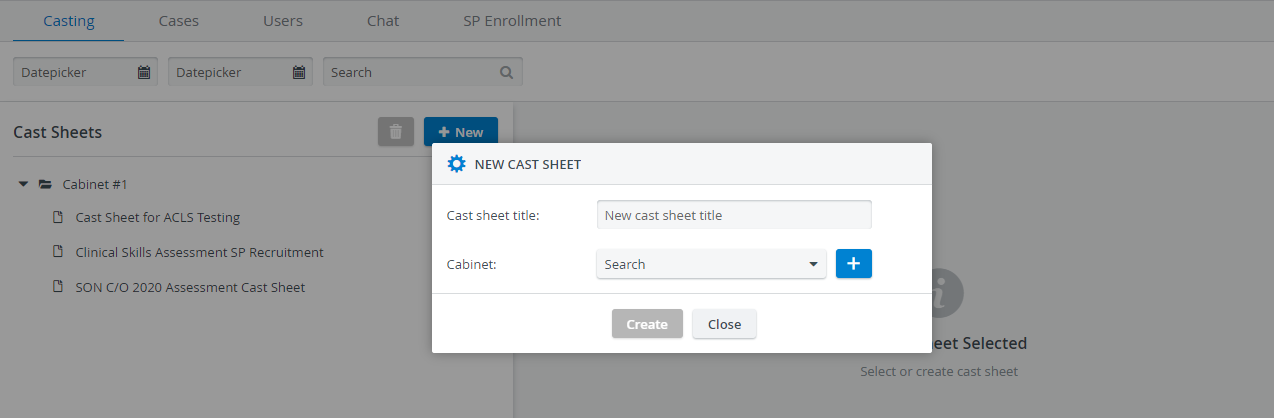
Create one or more Sessions inside a Cast sheet that determine the exact date and time of specific simulated patient encounters.
A Session must start and end on the same day.
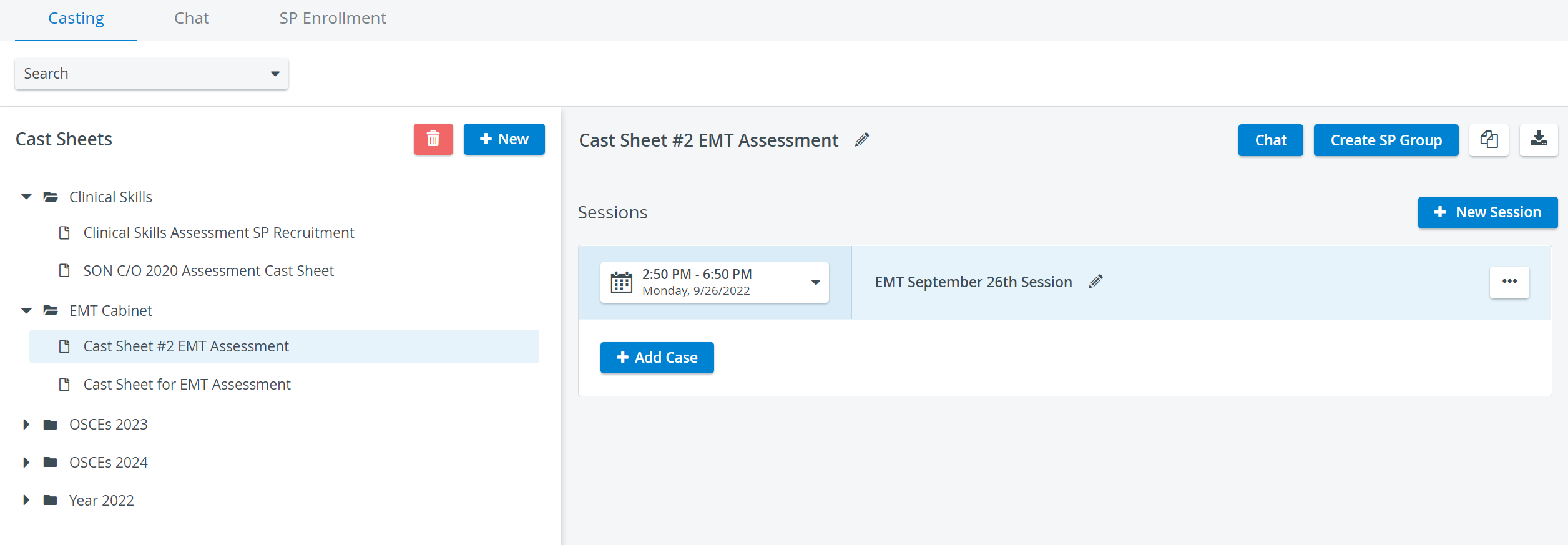
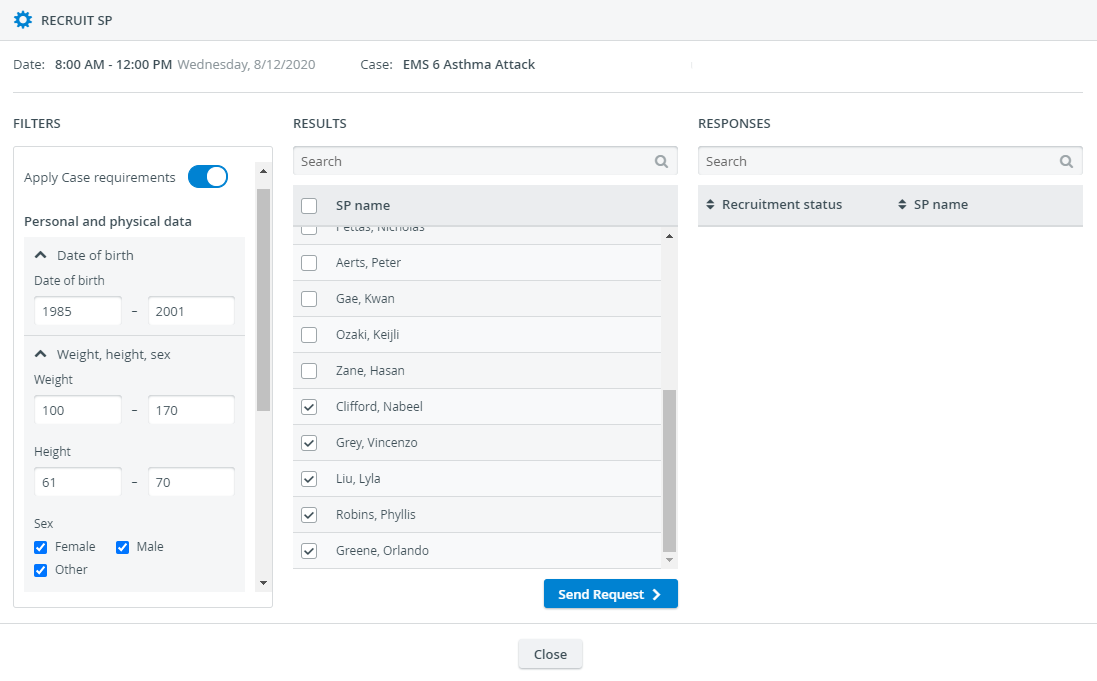
Inside a Session, you can add one or multiple Cases to which SPs can be invited. Each Case corresponds to a single patient encounter.

Search for SPs registered in your database by specific criteria such as age, sex, race, physical details, or qualifications.
Once SP candidates submit their availability, you can finalize the recruitment process by confirming them for the simulated patient encounter:
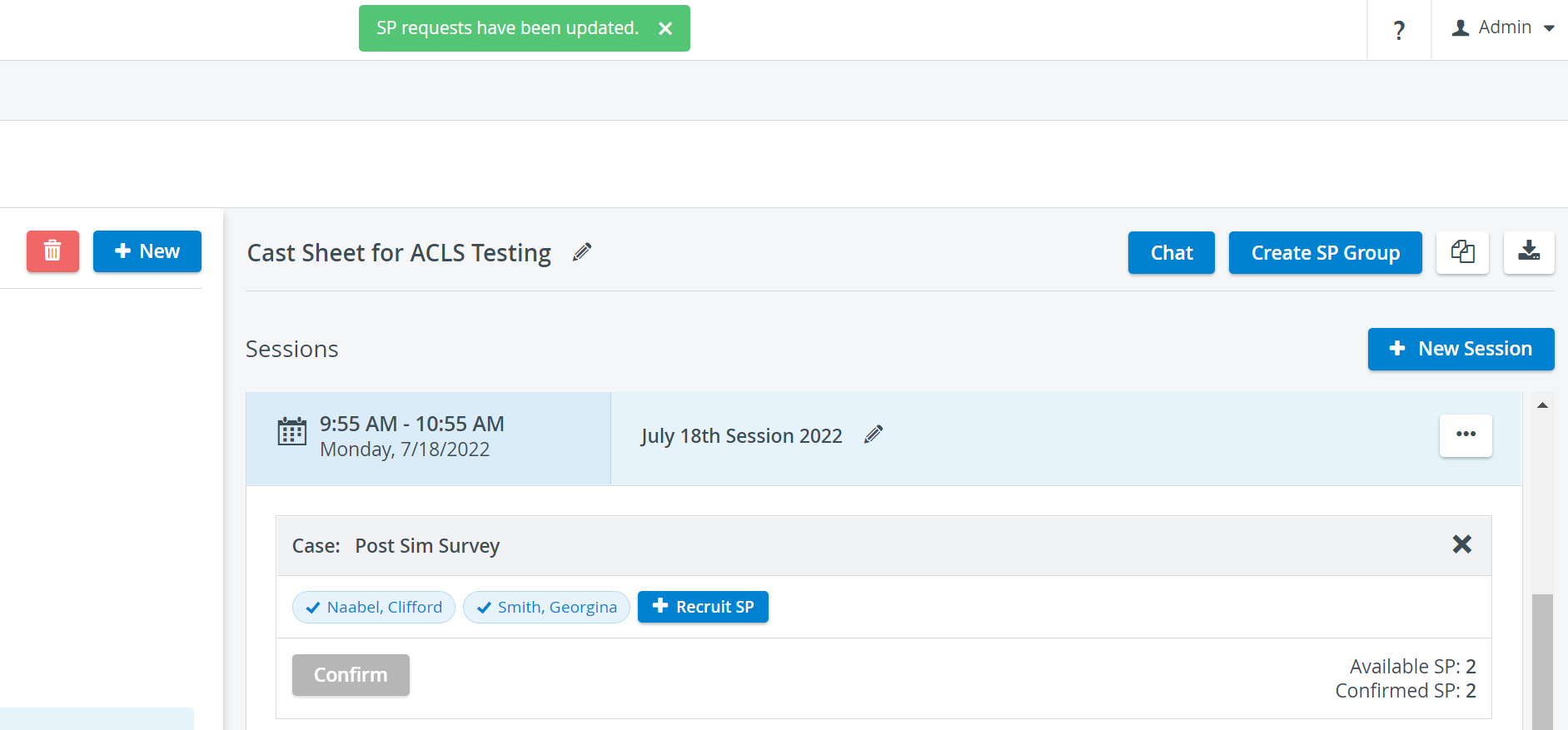
Stay in contact with SPs up to the day of the simulated patient encounter by creating a Chat group with the confirmed SPs:

For further information, visit our Standardized Patient Administration and Standardized Patient Administration - How to pages.
Related pages: