Activity Snapshot
In the current version of LearningSpace, the easiest way to resume data, checklist results, and print reports is to use the Activity Snapshot tool, which can be found under Classic Reports.
From the Dashboard, switch to Classic View by clicking the diagonal arrow button at the end of the header, then click the Reports link on the Reports & Results tab.
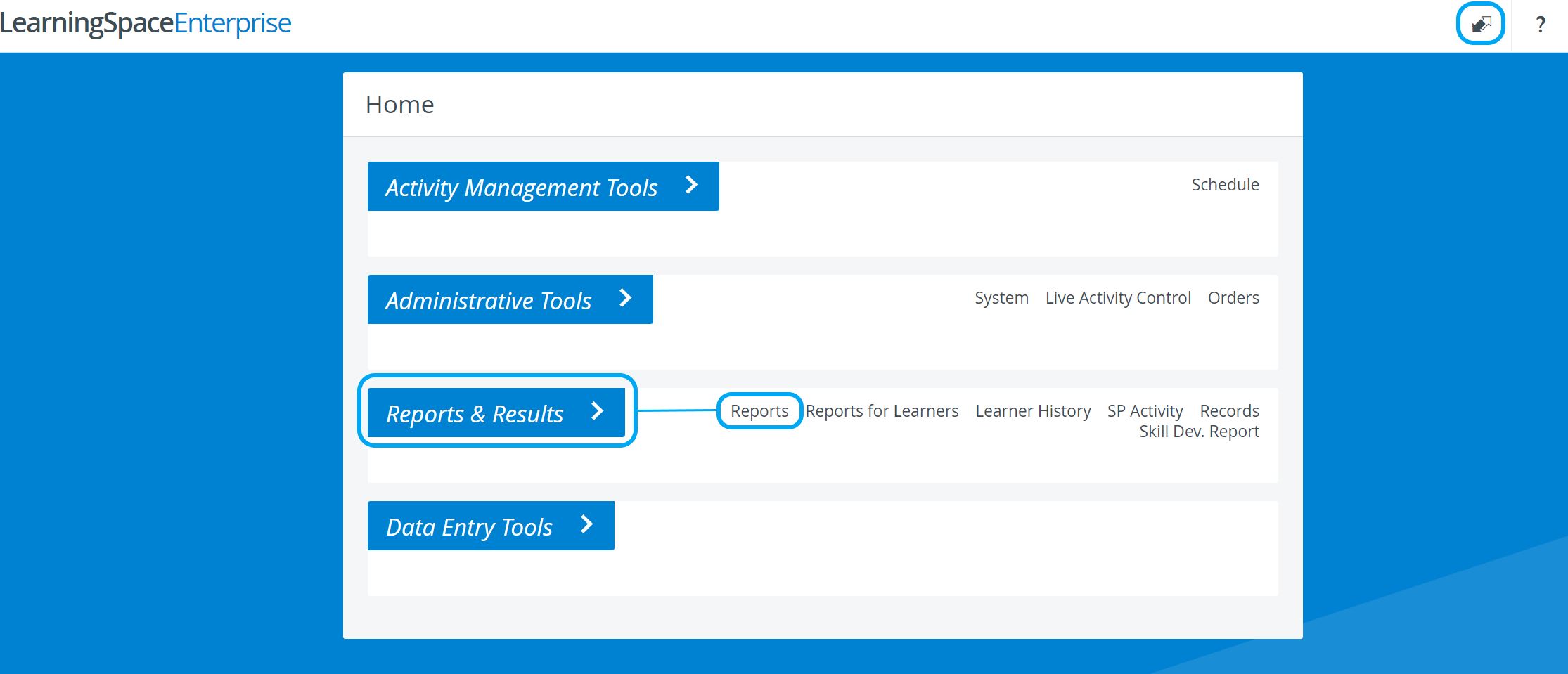
Select the desired Activity from the drop-down menu, then click Select. The Reports page for the selected Activity appears.
Switch to the Test Activity Mgmt tab and click the Activity Snapshot button in the Reports column.
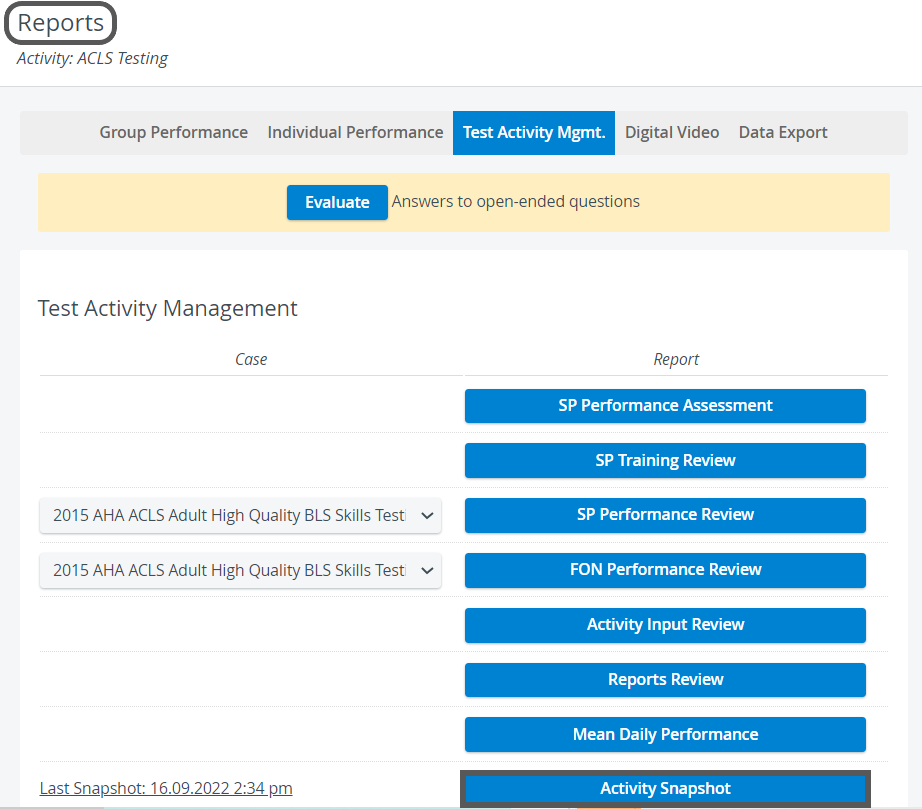
For a step-by-step guide, see How to Create an Activity Snapshot.
For more information, visit our Reports - How to pages and watch the Reports Module Training Videos.